Excellent 4.4 out of 5 star rating on Trustpilot Trustpilot

AMD Ryzen VDS Servers

Deploy virtual dedicated servers built on AMD Ryzen processors. Each VDS Ryzen server runs on dedicated vCores at a 4.5 GHz base clock, with DDR5 memory and NVMe storage.

Available Locations:
NL
US
SG
SE
DE
CPU
4 to 16 vCores
RAM
16 to 64GB DDR4 RAM
Storage
200 to 800GB NVMe
Bandwidth
10 to 20TB / month

Our Ryzen VDS Features

NVMe Storage

Every plan uses NVMe disks, with up to 800 GB of capacity and 100,000 IOPS.

Cryptocurrency Payments

Pay with Bitcoin, Ethereum, Solana, or any of the 12+ supported cryptocurrencies.

ECC Memory

ECC memory runs at 4800 MHz across all plans and corrects single-bit errors.

Most Popular Ryzen VDS Servers

Built for video encoding, financial modeling, real-time analytics, and private game hosting.

PERFORMANCE VDS 2
LT
NL
US
SG
SE
DE
JP
CPU
4 vCores
on 2 physical cores
Benchmark 4900
RAM
16GB
Storage
200GB NVME
Bandwidth
3Gbps
10TB / mo free traffic
$0.178 / hr
from
$88.51 / mo
PERFORMANCE VDS 4
LT
NL
US
SG
SE
DE
JP
CPU
8 vCores
on 4 physical cores
Benchmark 8700
RAM
32GB
Storage
400GB NVME
Bandwidth
3Gbps
10TB / mo free traffic
$0.259 / hr
from
$128.29 / mo
PERFORMANCE VDS 8
LT
NL
US
SG
SE
DE
JP
CPU
16 vCores
on 8 physical cores
Benchmark 14000
RAM
64GB
Storage
800GB NVME
Bandwidth
3Gbps
20TB / mo free traffic
$0.338 / hr
from
$168.07 / mo

Every Ryzen VDS Server Includes

3 Gbps Uplink

Every plan runs a 3 Gbps uplink, and inbound traffic is unmetered.

Root and Console Access

You get root access on every server, over SSH or the Client Portal’s VNC Console.

DDoS Protection

We filter distributed denial-of-service (DDoS) traffic across the network, at no charge.

API and CLI Access

Deploy and manage servers through our REST API, or with the `cherryctl` command-line.

Free Egress Traffic

Outbound traffic is free each month, up to 20 TB in Europe and the USA.

Floating IP

Move your floating IPv4 address from one server to another within a single project and location.

Backup Storage

50 GB of Backup Storage is included, and paid plans go up to 2 TB.

24/7 Human Support

Support engineers reply to live chat within 45 seconds and to tickets within 15 minutes.

How to Deploy a Ryzen VDS Server

Sign In to the Client Portal

Log in to your Cherry Servers account, or create one.

Create a New Instance

After logging in, click New instance to open the deployment page.

Switch to Dedicated Resources

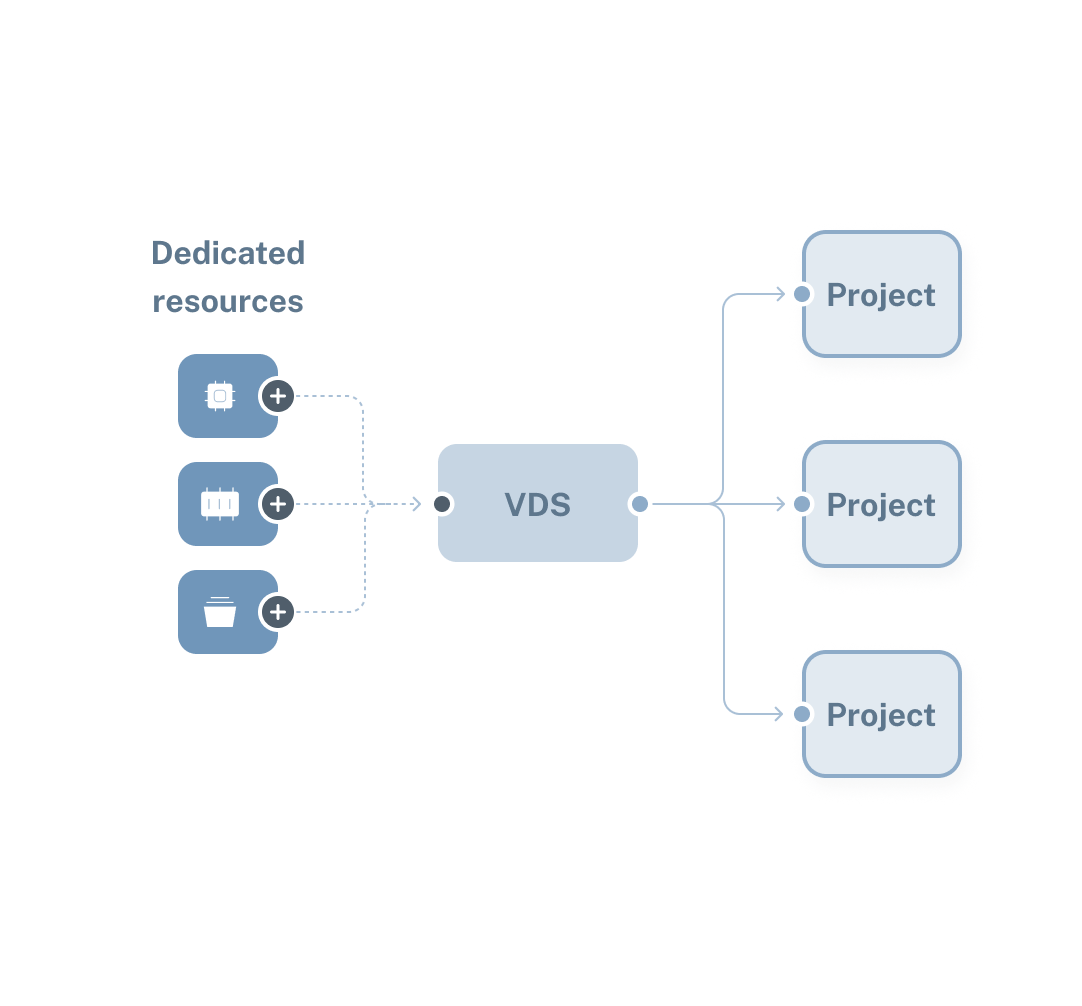
Click Dedicated Resources under Virtual Servers, then the Performance VDS tab.

Choose a Ryzen VDS Plan

Each plan lists its vCore count, physical cores, memory, and NVMe capacity. Select the one that fits your workload.

Choose a Location

Ryzen VDS runs in seven locations. Pick the one closest to your users to keep latency low.

Install an Operating System

Choose from Ubuntu, Fedora, Arch Linux, and other prebuilt Linux images. Assign the entire disk to the operating system, or set up a custom partition.

Set Up Networking

Add additional IPv4 addresses if needed, and choose a monthly egress limit. Ingress traffic is unmetered.

Name the Server and Add a Key

Set a hostname or generate one, choose an SSH key, and paste a Bash or cloud-config script.

Deploy Your Server

Review your configuration, set billing to hourly, monthly, or annually, then deploy.

Connect to Your Server

Access your server via SSH or the VNC Console in the Client Portal.

AMD Ryzen VDS Use Cases

Video Encoding

Ryzen VDS servers are well-suited to video encoding workloads, such as live stream transcoding and post-production rendering. Our plans provide 2 to 8 physical cores at 4.5 GHz, clearing a transcode queue of several files at a time rather than one after another.

Financial Modeling

Pricing and risk models read market data as it changes, and every mile of network adds delay. Ryzen VDS deploys in Chicago, Frankfurt, and Singapore, three financial hubs, so a model can run in the same city as the market it reads.

Real-Time Analytics

Live dashboards, streaming aggregations, and fraud checks all read a moving window of recent events. A Ryzen VDS holds the window in 16 to 64 GB of dedicated memory, and queries run on dedicated vCores while new events arrive.

Private Game Hosting

A Ryzen VDS is a good fit for private game servers, whether for a studio playtest or a closed group of players. One dedicated vCore at 4.5 GHz runs the simulation’s main thread and maintains stable tick times.

AMD Ryzen VDS Benefits

Dedicated Physical Cores

Each physical core runs at a 4.5 GHz base clock, and both of its threads go to your server. The cores are dedicated solely to your workload, with no other customers sharing them.

NVMe in RAID 1

Ryzen VDS storage is a RAID 1 array of NVMe disks. Every write goes to all the disks, giving each a complete copy of your data. If a disk fails, the remaining disks still hold a current copy, and you lose no data.

Kernel Parameters and Modules

Every Ryzen VDS runs its own kernel. You can increase network buffer limits for a busy ingest path, or reserve hugepages before a process starts. Modules such as `nftables` for packet filtering and `dm-crypt` for encrypted volumes load at boot or on demand.

Private Networking

You get a Private VLAN subnet and a private IP address on every Ryzen VDS. Servers in the same region communicate over the private subnet automatically, no setup required. Private traffic runs at your public connection’s speed and passes between your servers unfiltered.

Supported Payment Methods

Our client success stories

Ryzen VDS FAQs

What is a Ryzen VDS server?

A Ryzen VDS is a virtual dedicated server (VDS) built on the AMD Ryzen 7950X, a desktop processor with a 4.5 GHz base clock. Each server is a kernel-based virtual machine (KVM) with fully dedicated vCores and memory.

How is a Ryzen VDS different from a Premium VDS server?

Both give you dedicated vCores and memory, up to 16 vCores and 64 GB. Ryzen VDS runs on the AMD Ryzen 9 7950X at 4.5 GHz, with a 3 Gbps uplink and up to 800 GB of NVMe storage. Premium VDS runs on the AMD EPYC 9554P, a server processor with more memory channels, making it well-suited to memory-bound workloads.

Can I run Windows on a Ryzen VDS?

No. Every Ryzen VDS image is a Linux distribution, including Ubuntu, Debian, AlmaLinux, Rocky Linux, openSUSE Leap, Fedora, CentOS Stream, Alpine Linux, and Arch Linux. Windows Server runs on our Dedicated Servers.

Can I run Windows on an EPYC VDS?

No. Every Ryzen VDS image is a Linux distribution, including Ubuntu, Debian, AlmaLinux, Rocky Linux, openSUSE Leap, Fedora, CentOS Stream, Alpine Linux, and Arch Linux. Windows Server runs on our Dedicated Servers.

What is the difference between a vCore and a physical core?

A physical core is an independent processing unit on the processor, with its own decode pipes and execution resources. A vCore is a virtual processor inside the virtual machine, which the host runs as a thread and schedules onto its own CPUs. The host decides how much physical core a vCore receives and can place several customers’ threads on a single core.

On a Ryzen VDS, every vCore holds a hardware thread of its own, and a core’s pair of threads is assigned to one customer.

Looking for a different Cloud Infrastructure Solution?

Effortless cloud VPS deployment

Unlock the full potential of your business with flexible, reliable, and scalable Cloud VPS.

AI Servers: Custom dedicated GPU server for AI

Host resource-intensive ML and deep learning applications on powerful AI servers. Create your own AI server on a dedicated bare metal cloud equipped with powerful Nvidia GPU accelerators.

Why Developers Love Cherry Servers

Our customers consistently highlight speed, expertise, and personal attention from our team.

Start building today

Get up and running with your cloud project in a few minutes

Have questions about our server solutions or need assistance?

Fill out the form, and our team will get back to you!

No results found for ""
Recent Searches
Navigate
Go
ESC
Exit