Payment Methods
We offer a wide range of supported payment methods to meet your billing needs. From bank transfer and traditional payment options, to cryptocurrencies.
#Credit and Debit Cards
We accept debit and credit card payments through payment processors Revolut and Numopay (formerly Cardinity). To make payments in this way, you will first be required to perform and complete an identity verification process, hosted by iDenfy. For more information, please visit our dedicated Identity Verification page.
With debit and credit card payments, you may choose to make one time invoice payments and top-ups, or alternatively, you may add your card details to your Client Portal to automatically cover all of your expenses at Cherry Servers throughout your billing cycle.
-
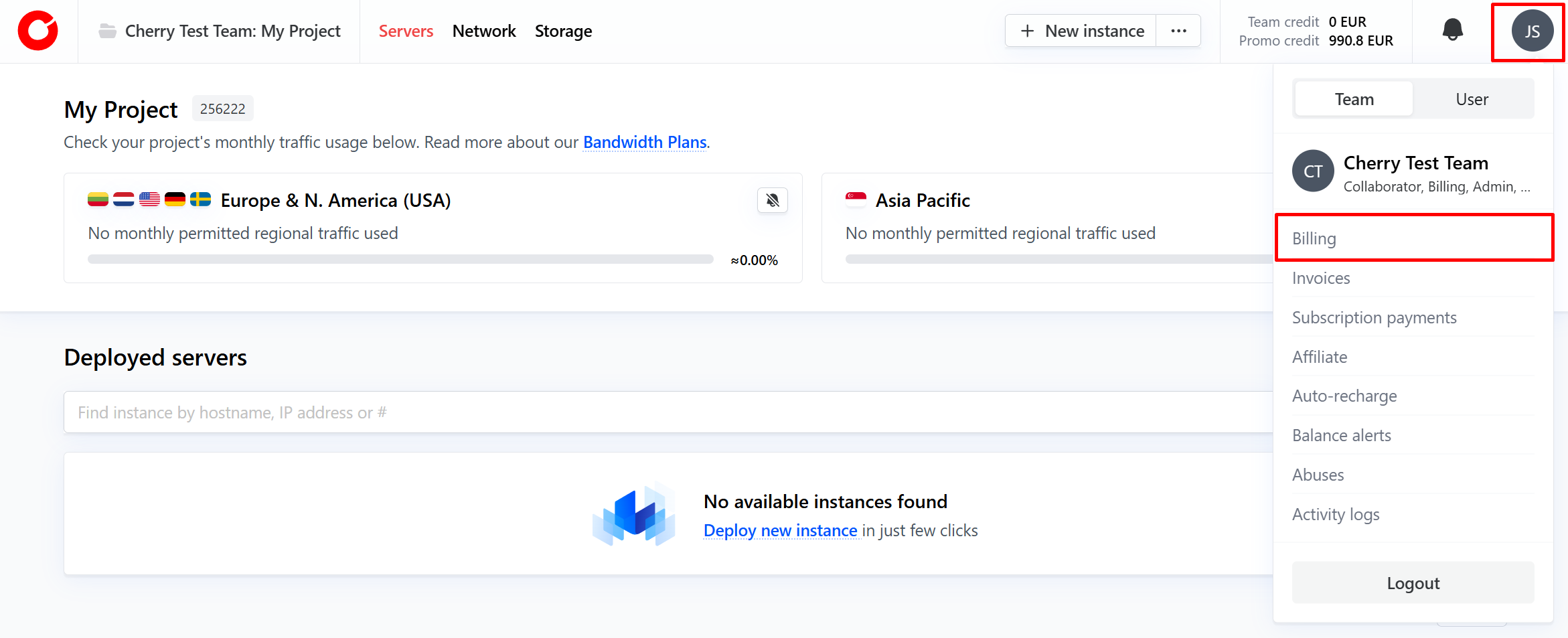
To set up card payments with Cherry servers, click your profile icon in the top right-hand corner of the client portal, and click “Billing”.

-
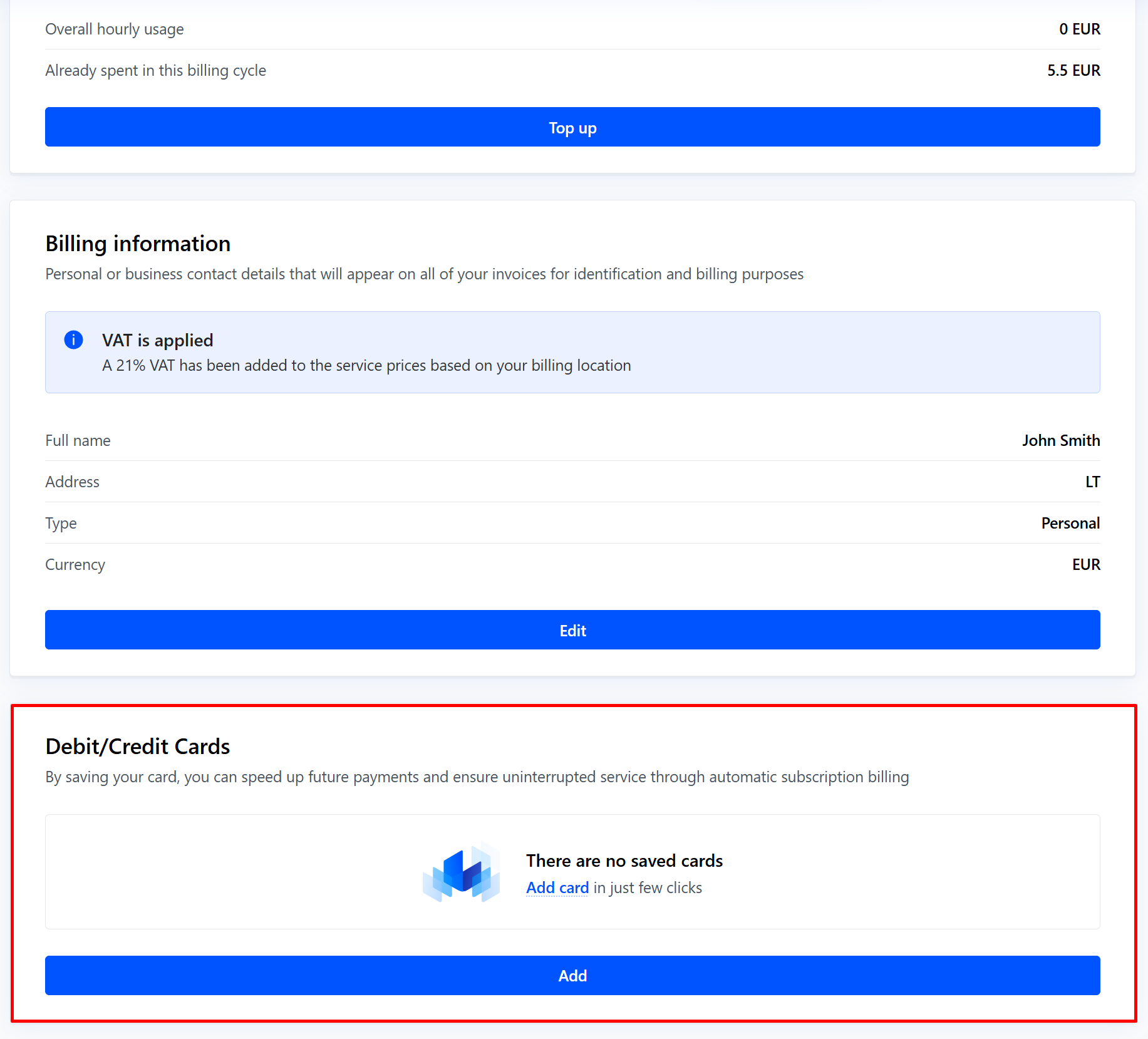
Under the third box labeled “Debit/Credit cards”, click the “Add” button.

-
You will then be prompted to fill in your card information. Simply click “Save” once you have completed the form.

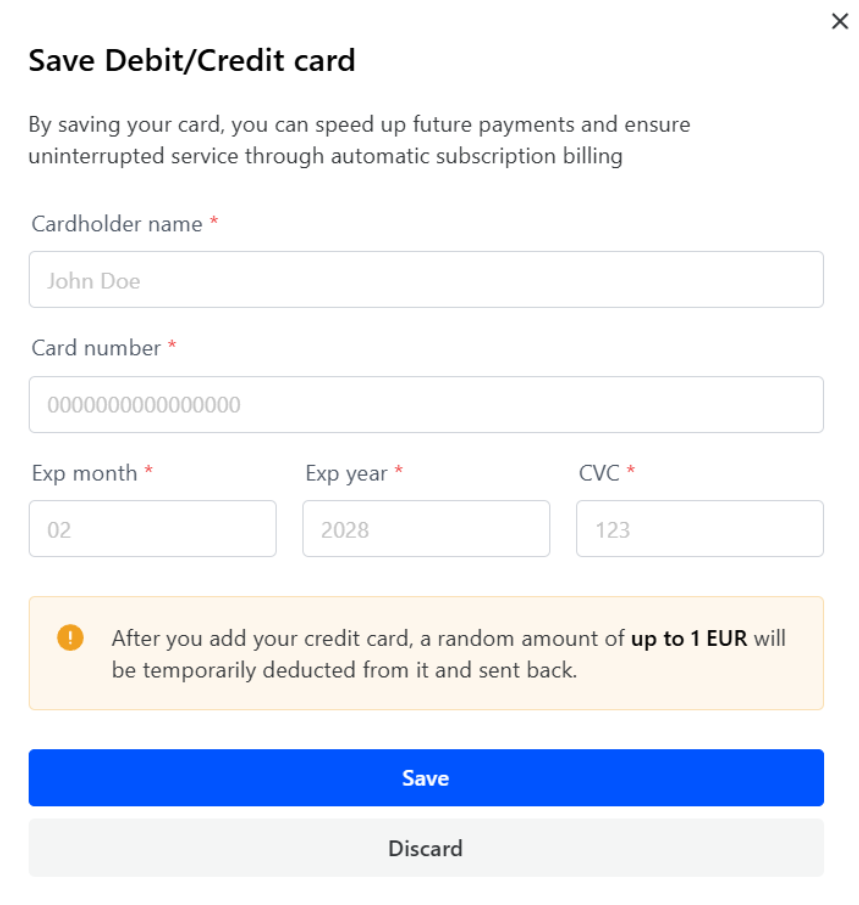
To verify that the information is correct, a random amount of up to 1 Euro maximum will be charged, and instantly sent back once confirmed.
You will then be able to use this card for any and all future payments.
#Auto-Recharge
When you add a credit or debit card to your account payment options, you may opt to set up auto-recharge to keep your project topped up and ensure it doesn’t run out of funds.
You can configure your auto-recharge threshold in the client portal billing section. First, click your profile picture in the top right hand corner of the client portal and select “Auto-recharge” from the dropdown menu.
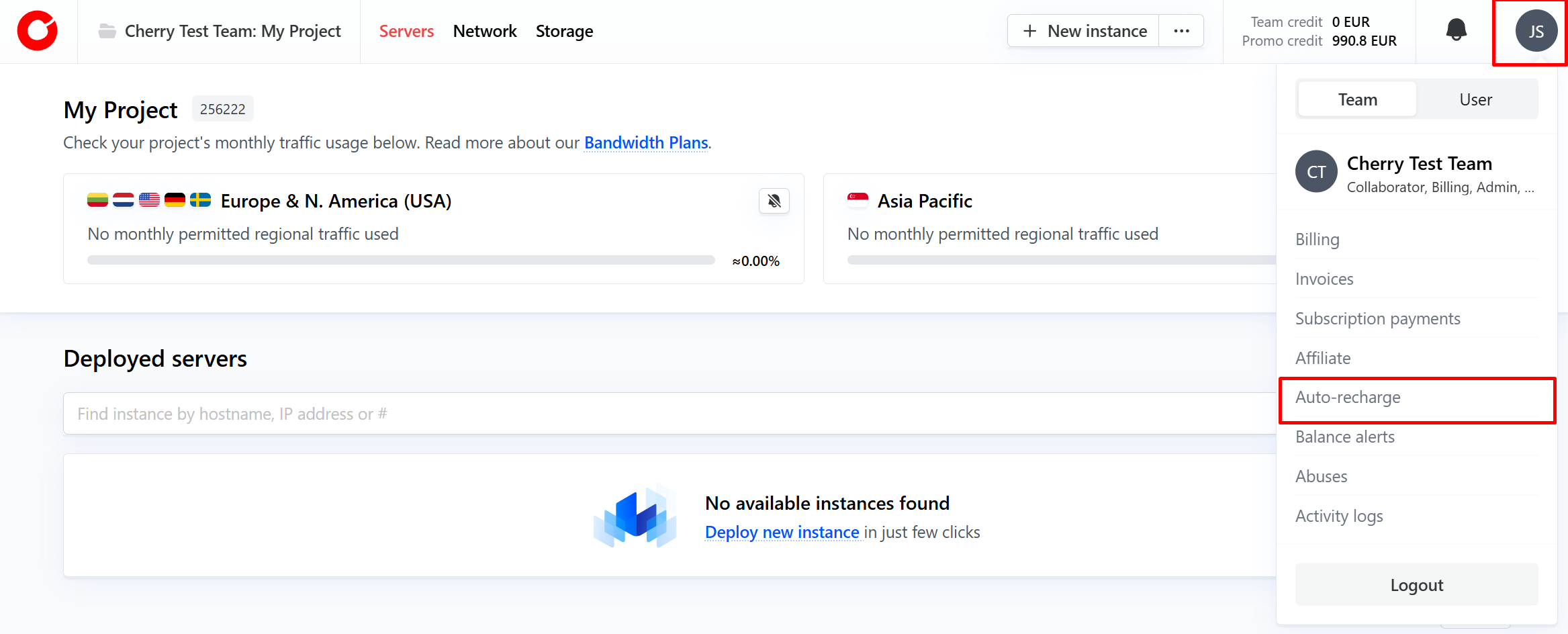
You may then choose “Balance Auto-recharge” or “Time Auto-recharge”.
- Balance auto-recharge will automatically charge your selected payment method when your project’s funds drop below an amount specified by you, by an amount you choose;
- E.g. “Once my Team credit balance falls below 20 EUR, add 100 EUR”;
- Time auto-recharge will automatically charge your selected payment method to ensure that your project has enough funds to keep the server(s) running for an amount of time specified by you, by an amount you choose;
- E.g. “Once my Team credit balance is not enough to keep my server running for 7 days, add 100 EUR.”
#Bank Transfer
Every time you order a fixed-term service, a new pro-forma invoice is generated and sent to you by email, as well as made available to you on your Client Portal invoices section. You may pay fixed-term service invoices by making a wire transfer to Cherry Servers using the bank details listed below:
Company name: UAB Cherry Servers Company Code: 145747029 IBAN: LT844010051005334272 SWIFT code: AGBLLT2X Bank: Luminor Bank AS
When using bank transfer to pay an invoice, please ensure that you include your invoice number in the payment description, otherwise we may not be able to associate the bank transfer with your account.
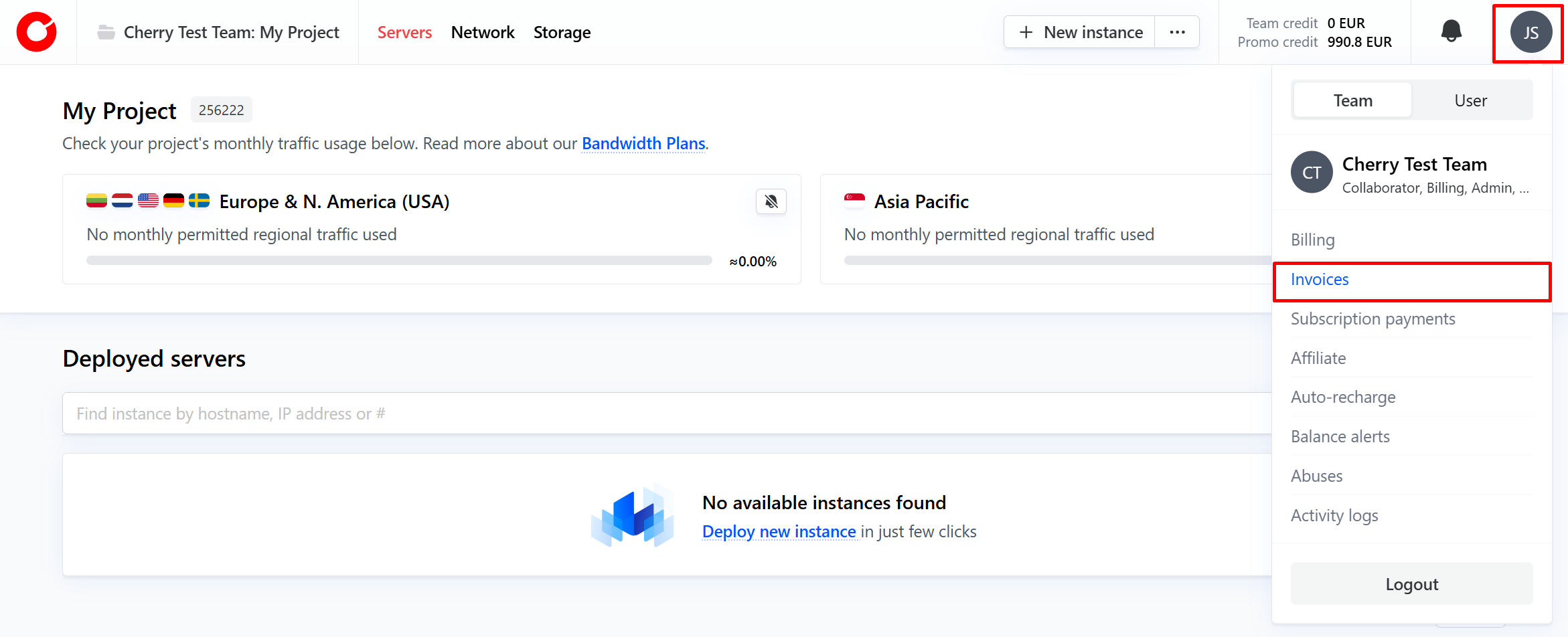
You can view your pending and paid invoices by clicking your profile icon in the top right-hand corner of the client portal and selecting “Invoices” from the dropdown menu.
#Cryptocurrency
We accept a range of cryptocurrencies via our payment partners Coingate and BVNK. Currently, some of the popular supported cryptocurrency payment options are listed below:
- Bitcoin (BTC),
- Ethereum (ETH),
- Solana (SOL),
- Cardano (ADA),
- USD Coin (USDC),
- Polygon (POL)
- BNB (BNB),
- Litecoin (LTC),
- Dogecoin (DOGE),
- XRP (XRP),
- TRON (TRX)
- Dai (DAI),
- Algorand (ALGO),
- SHIBA INU (SHIB),
- Bitcoin Cash (BCH). These cryptocurrency options can be accepted through a number of blockchain networks, including Ethereum, Binance Smart Chain, Arbitrum, Optimism, Polygon, and the Bitcoin Lightning Network.
A full list of supported cryptocurrencies and networks can be viewed directly on Coingate and BVNK.
#Other Payments Methods
We also support an array of other popular payment options, such as:
- PayPal,
- Google Pay,
- Apple Pay,
- AliPay,
- Revolut Pay.