Payment Options
Cherry Servers offers a variety of automatic and manual payment options, allowing you to flexibly pay for services on your terms.
#What Payment Options Are Available?
When you order any service with Cherry Servers, you will be sent an invoice for the specified period, which can be paid in advance, or via your team balance. We offer billing cycles for the following periods:
Fixed-term Billing
- Monthly,
- Annually.
Fixed-term services are billed in advance, and are not automatically renewed at the end of the service cycle by default.
On-Demand Billing
- Hourly
- Spot
All on-demand services are billed on a “pay per use” basis. These services will continue to operate as long as there is enough credit in your team balance.
#Automatic
Automatic payments offer a simple, convenient way to cover your invoices, and are available for all Cherry Servers services.
Automatic payments are supported for credit and debit card payments, and require each client to successfully complete our identity verification process.
Fixed-Term
By default, fixed-term services are not renewed at the end of the service cycle, however you can choose to automatically renew your fixed-term services by setting up a credit or debit card payment method. This will keep your service running using your available team balance, and once it runs low, it will be automatically recharged using your selected payment method.
On-Demand
All on-demand services are billed on a pay per use basis, and will continue to run as long as there is enough credit in your team balance. To ensure that your team balance continues to have enough craft to keep your services running, you can set up a credit or debit card to automatically recharge your team balance when funds are low.
#How to Set up Automatic Payments
Automatic payments can be organized by anyone with the “billing” permission through your team on the client portal.
To get started:
-
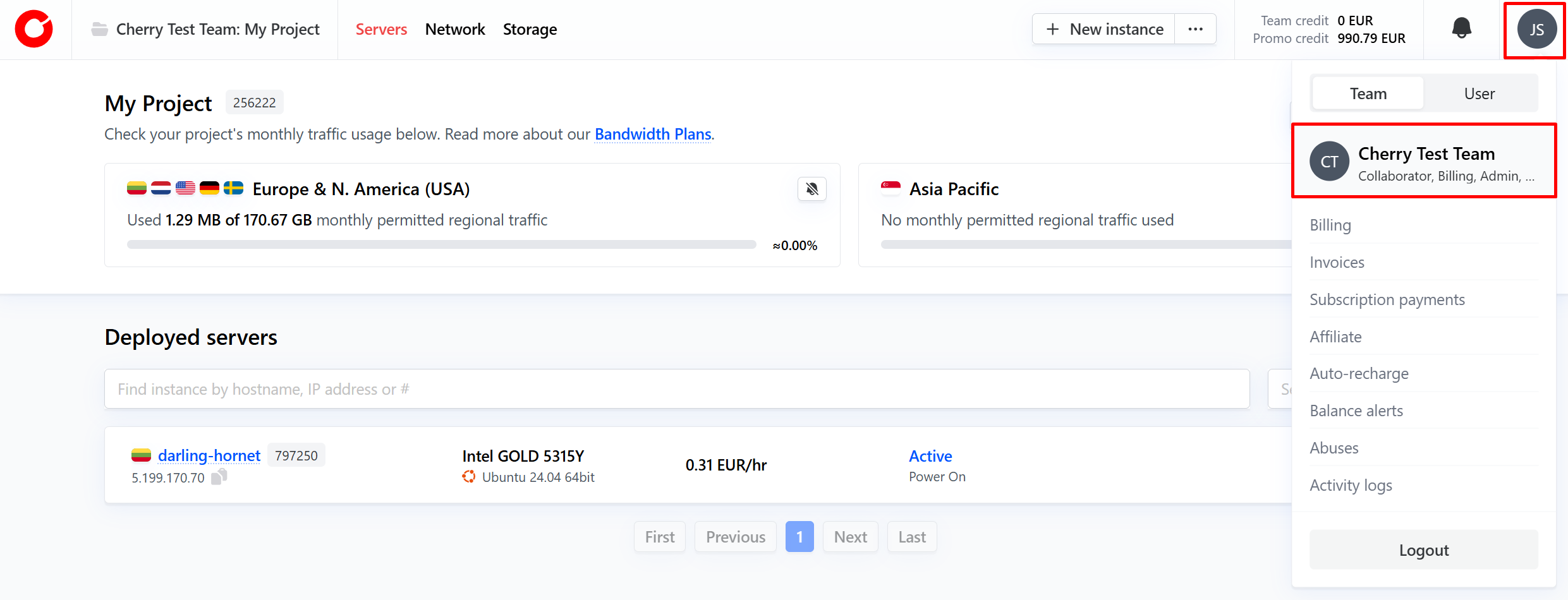
Click your profile icon on the top right-hand corner, and click your team name.

-
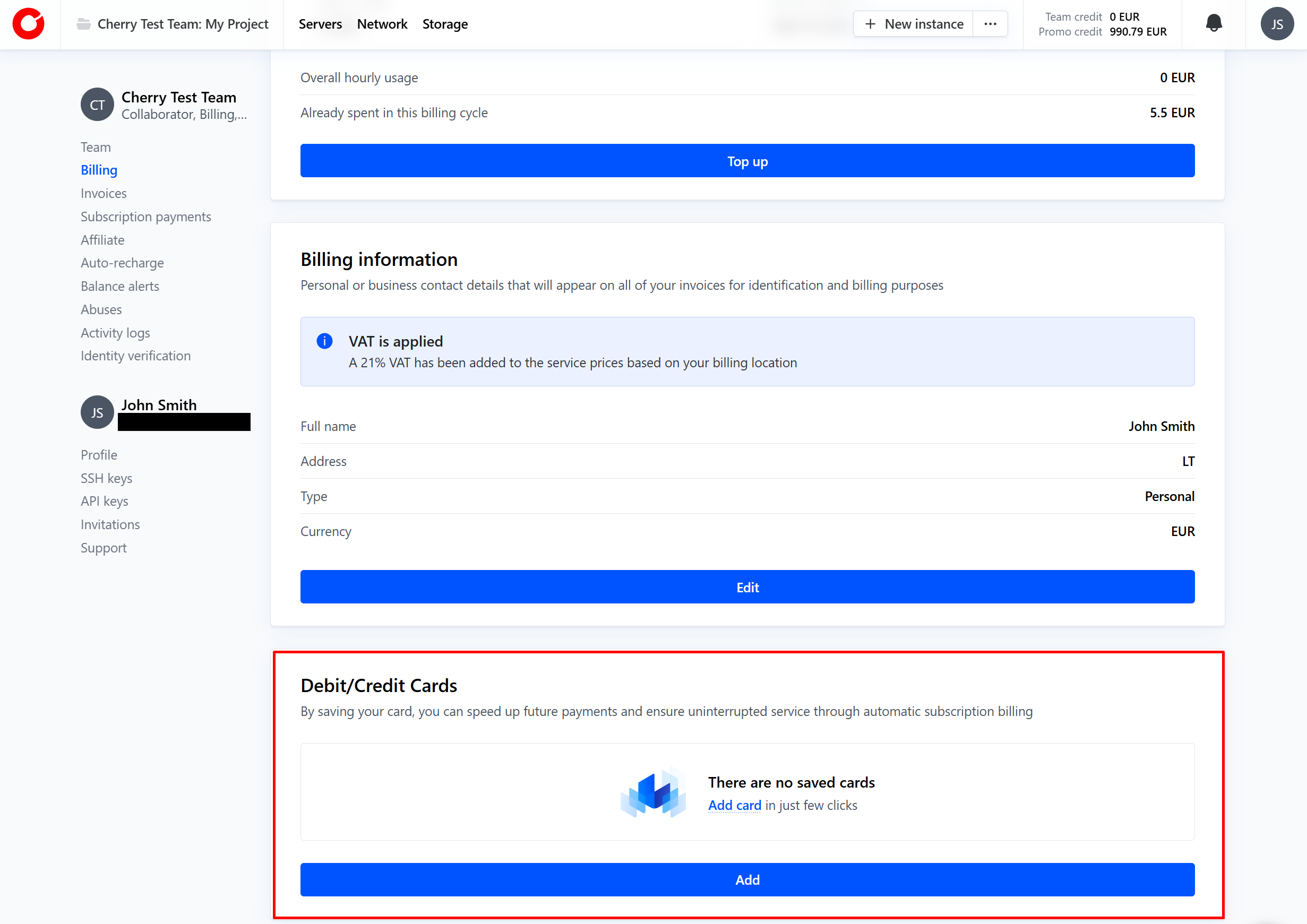
Navigate to “Billing” and add a credit or debit card payment option. Please note, you will be required to complete our identity verification process.
For fixed-term payments:
-
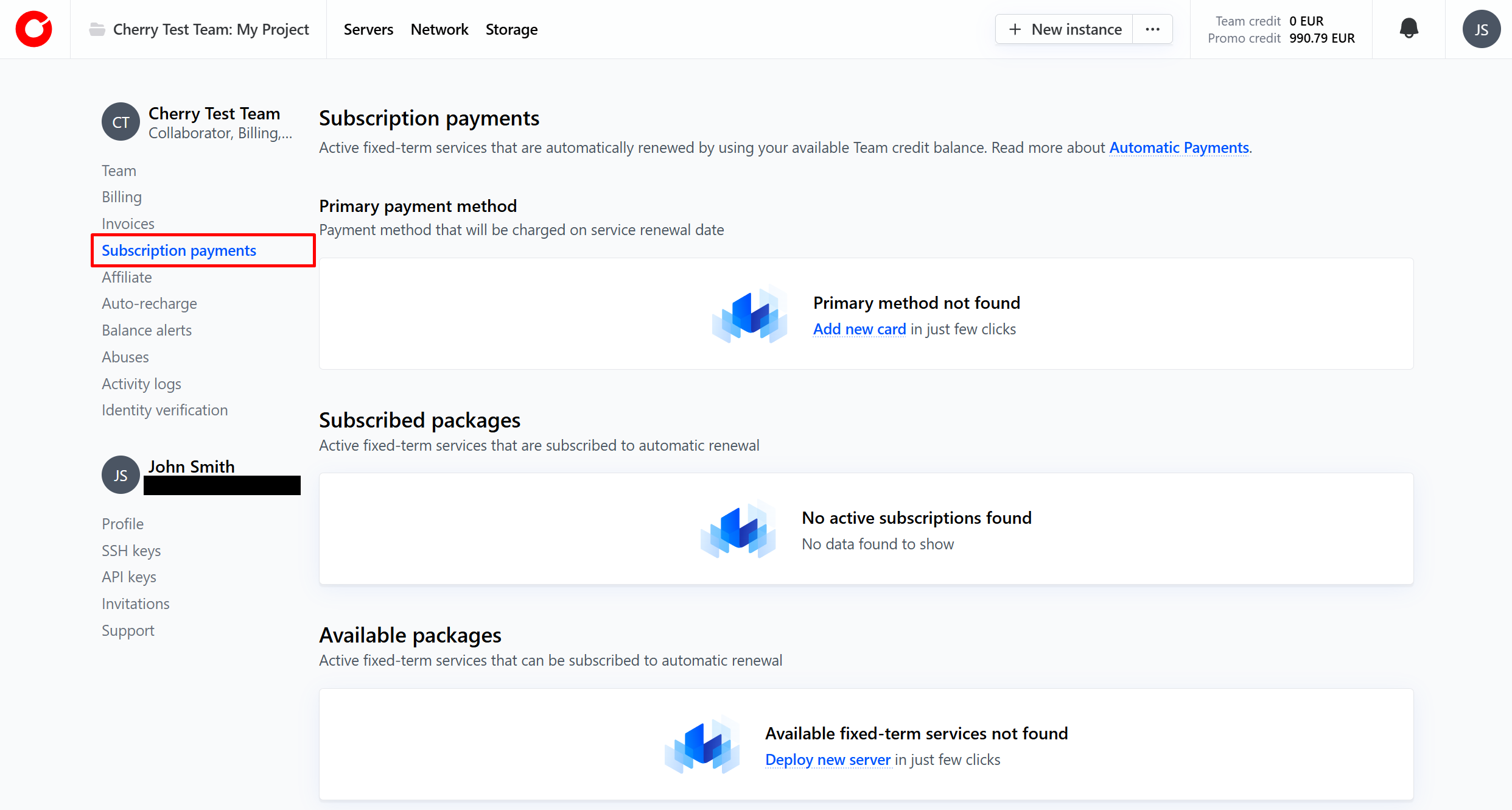
Navigate to “Subscription payments”.

-
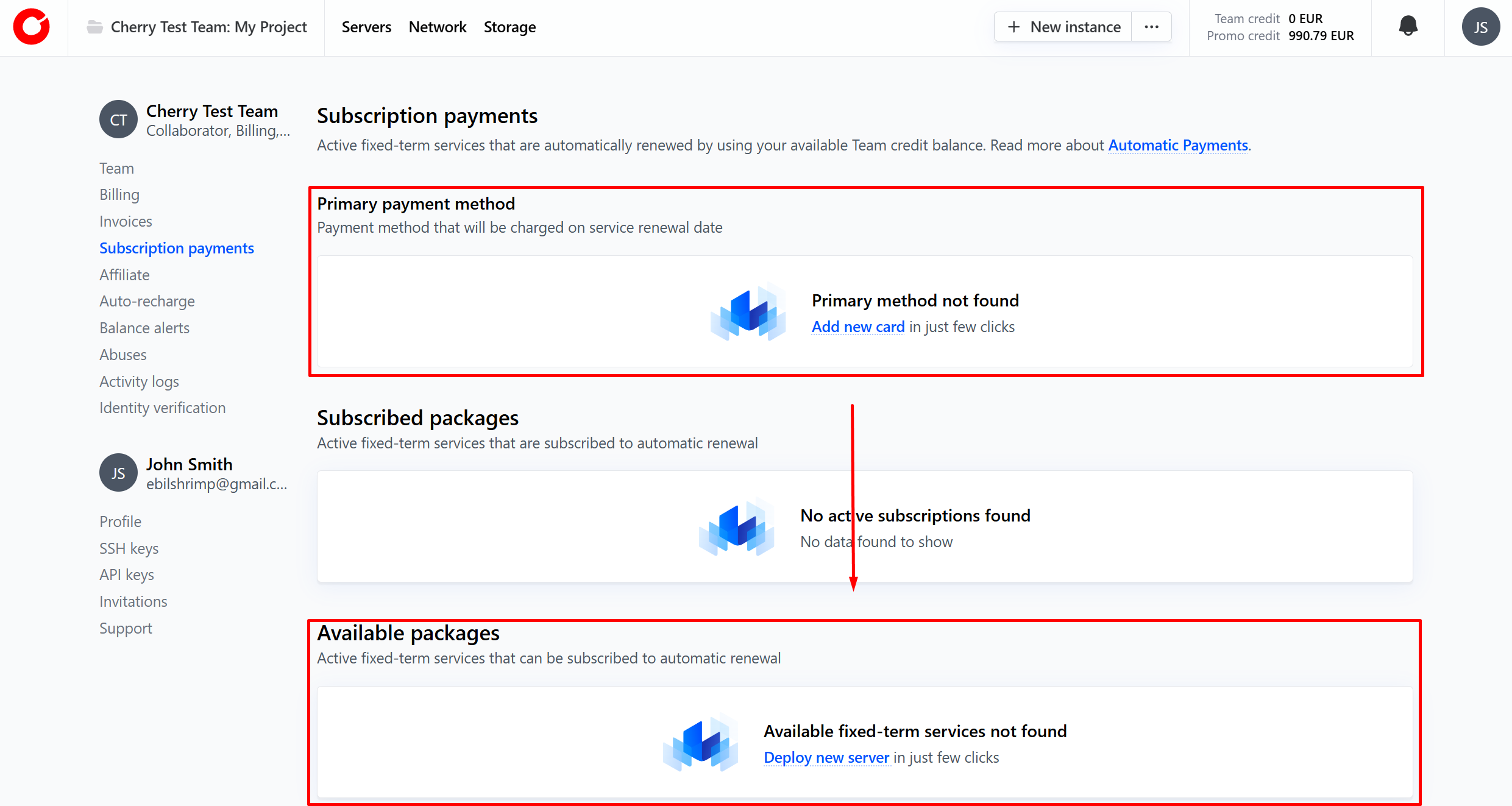
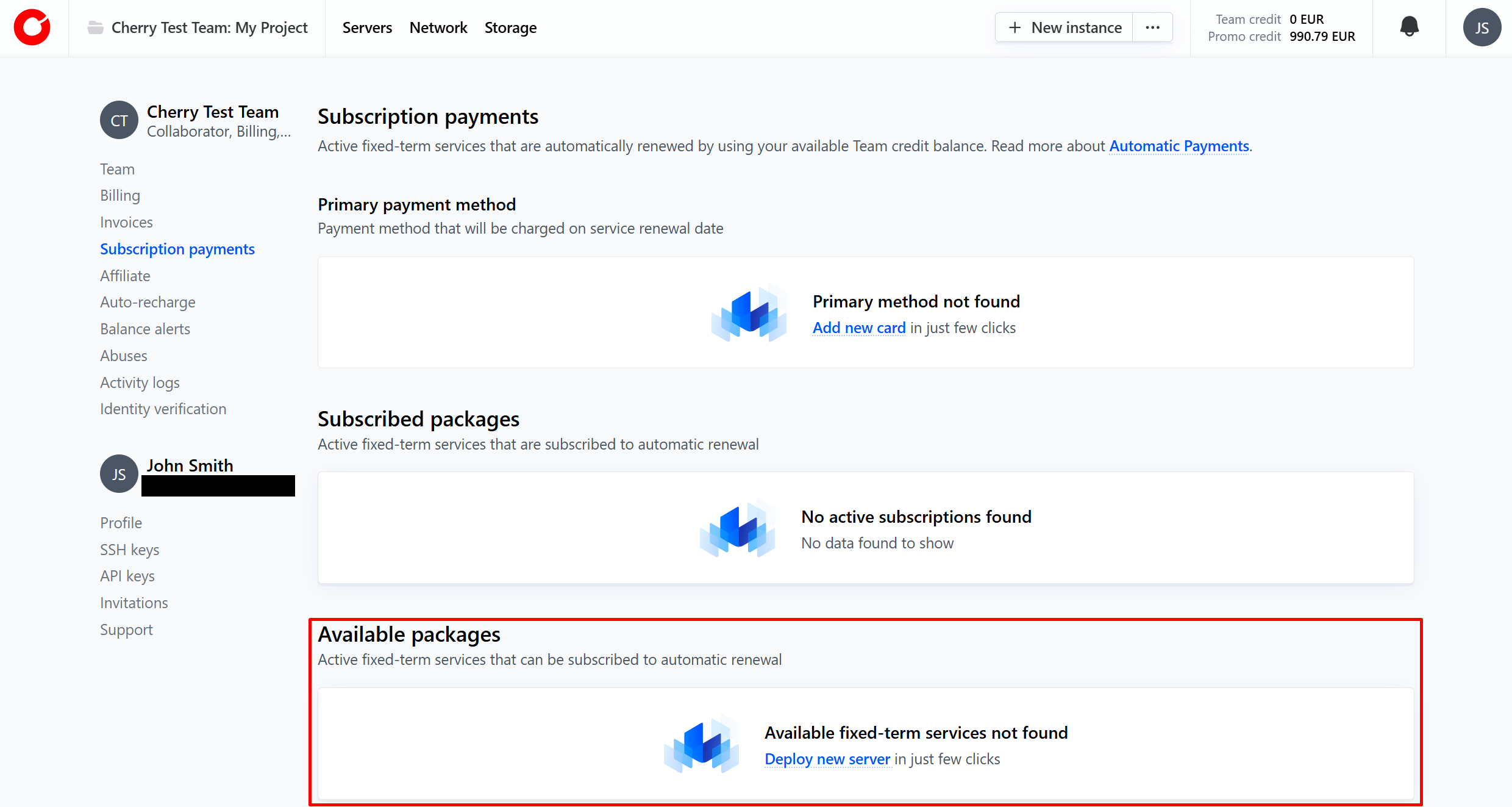
Add a credit or debit card payment method, and select any of your current fixed-term services that you would like to be auto-renewed from the “Available packages” box.

For on-demand services:
-
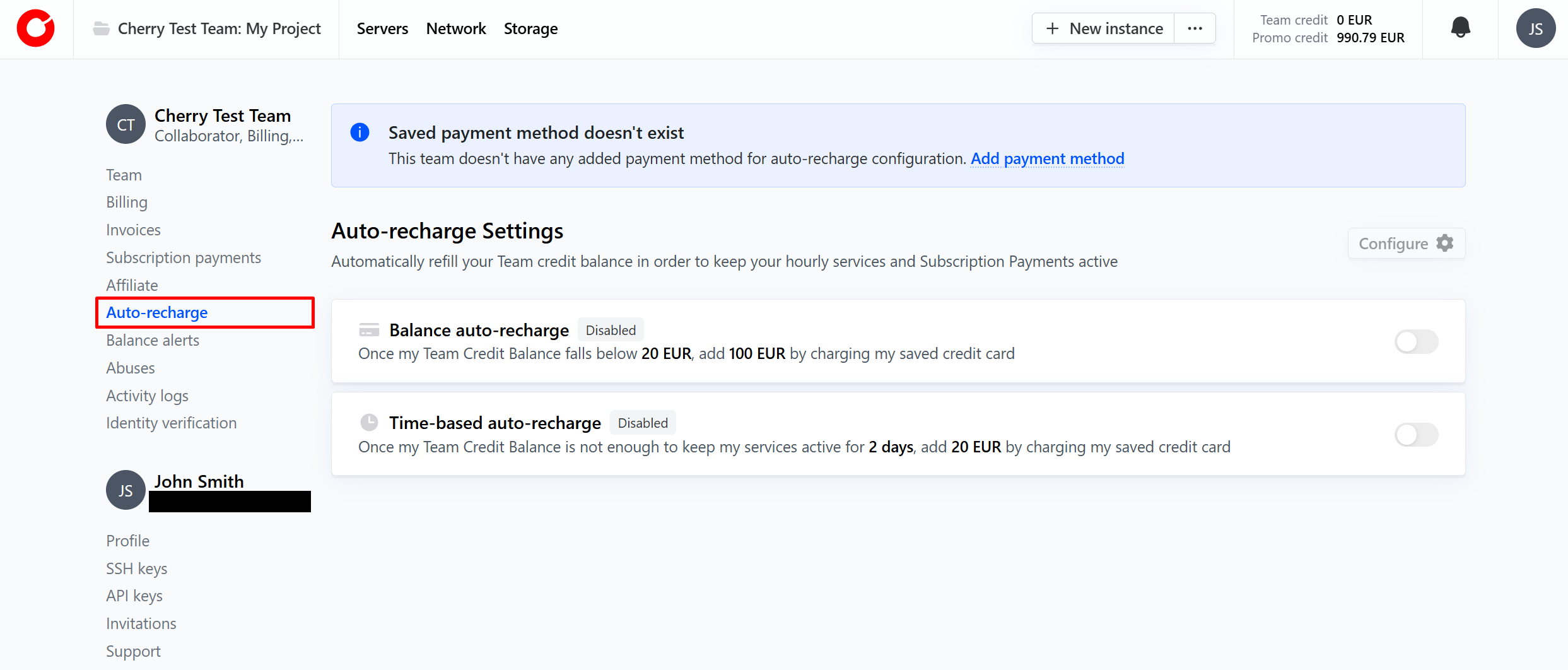
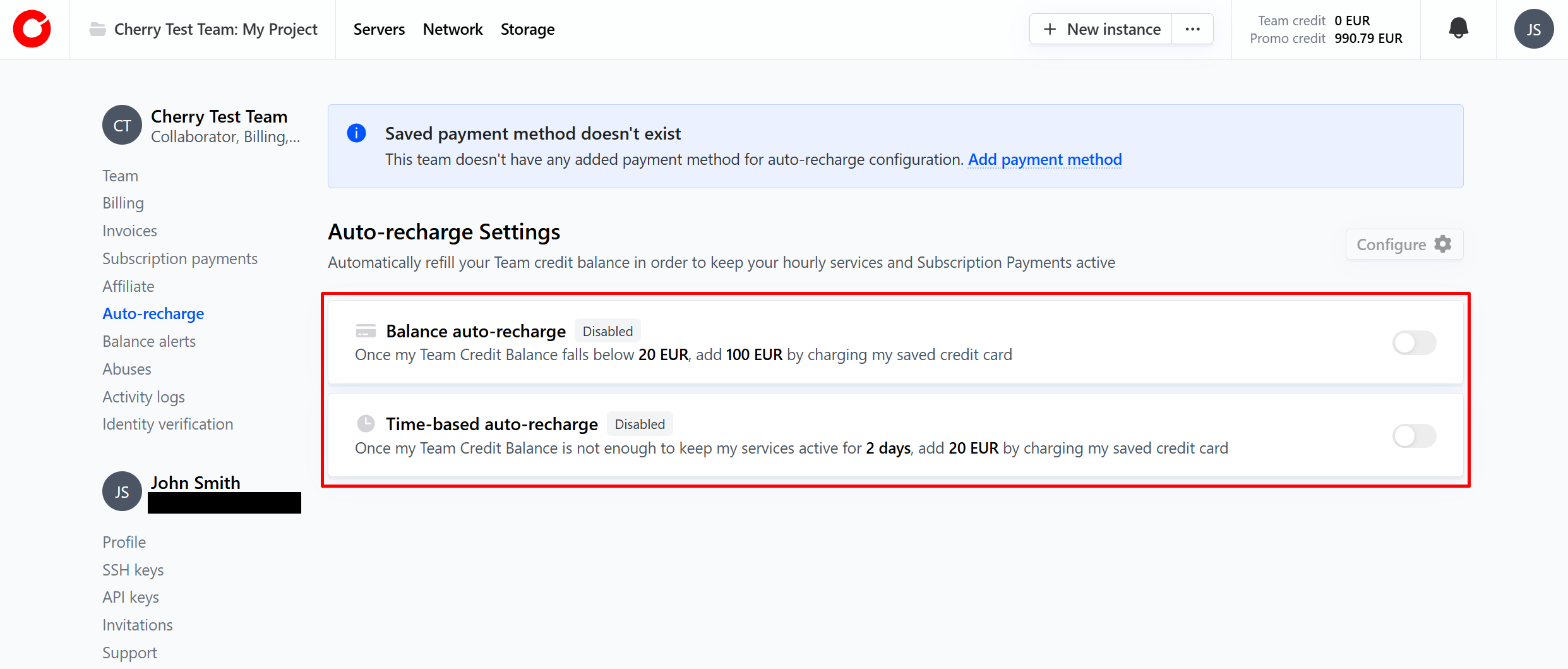
Navigate to “Auto-recharge”

-
Choose whether you would like to auto-recharge your team balance based on time, or based on current balance. 2. Balance auto-recharge will use your selected credit or debit card to add funds to your team balance once it falls below a level you specify. 2. Time auto-recharge will use your selected credit or debit card to add funds to your team balance once the amount of time the server will continue to run for falls below an amount you specify.

#Manual
Manual payments give you total control over how you pay for your Cherry Servers services. With manual payments, you can use our full range of available payment methods to activate and keep your services running. The full list of available payment methods can be found on a dedicated Payment Methods page.
With manual payments, you can top up your team balance to the level you choose, when you choose. Manual payments can be organized by anyone with the “billing” permission through your team on the client portal.
How to Make a Manual Payment
-
To make a manual payment, click your profile icon on the top right-hand corner, and click your team name.
-
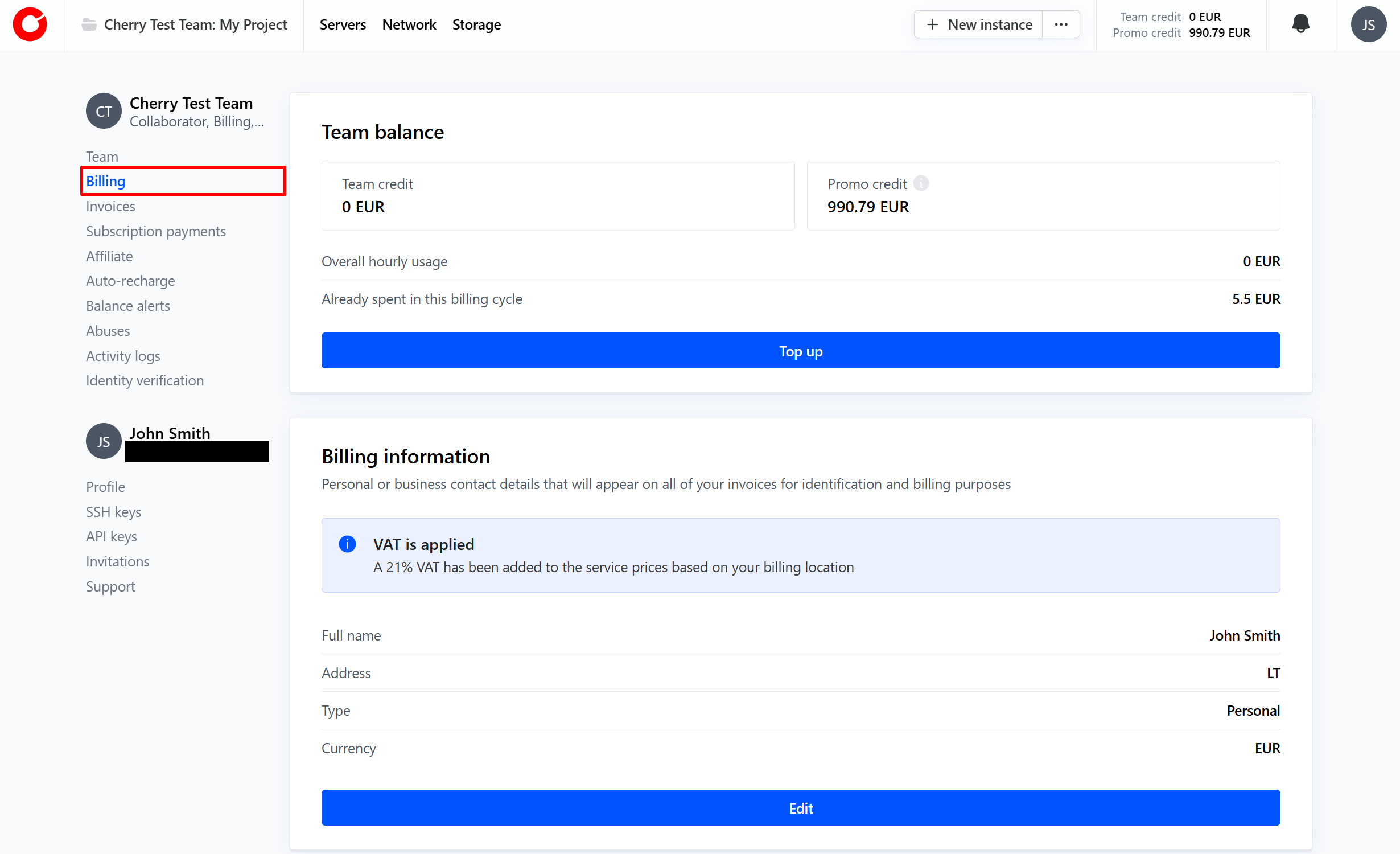
Navigate to “Billing”.

-
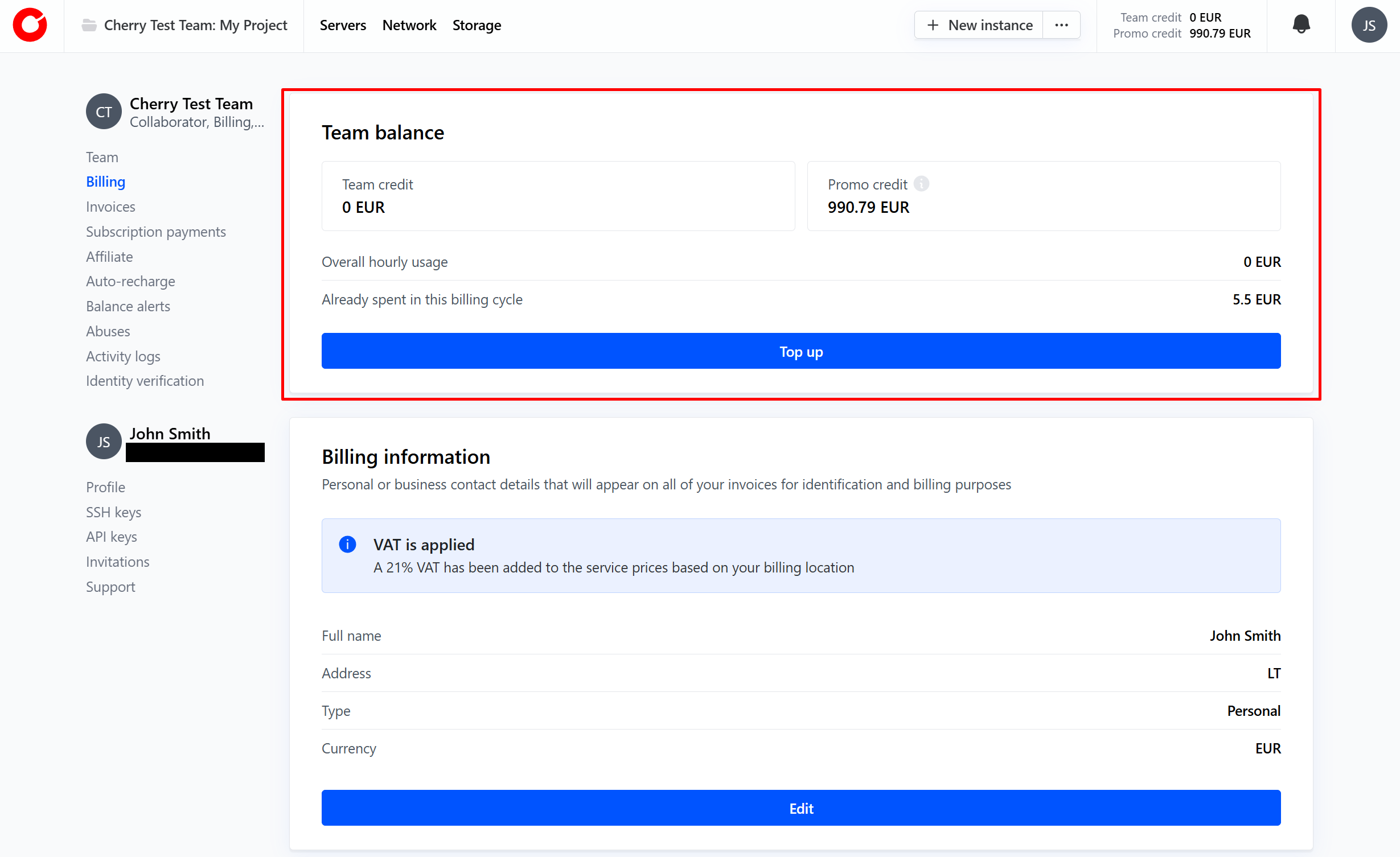
Click the “Top-up” button in the “Team balance” box.

-
Select your payment method, how much you would like to add to your team balance, and click “Pay”.

-
Your payment will be reflected in your Team Balance.
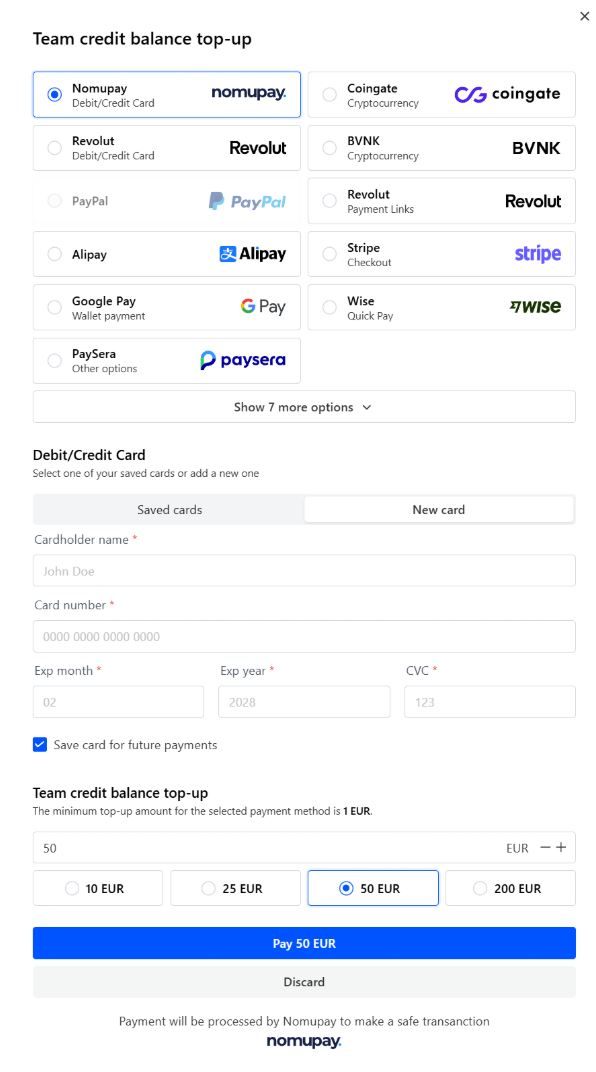
We recommend that you set up balance alerts in order to receive an automatic notification when your balance reaches a threshold set by you.
How to Set up Balance Alerts
To set up balance alerts:
-
Click your profile icon on the top right-hand corner, and click your team name.
-
Navigate to “Balance Alerts”.

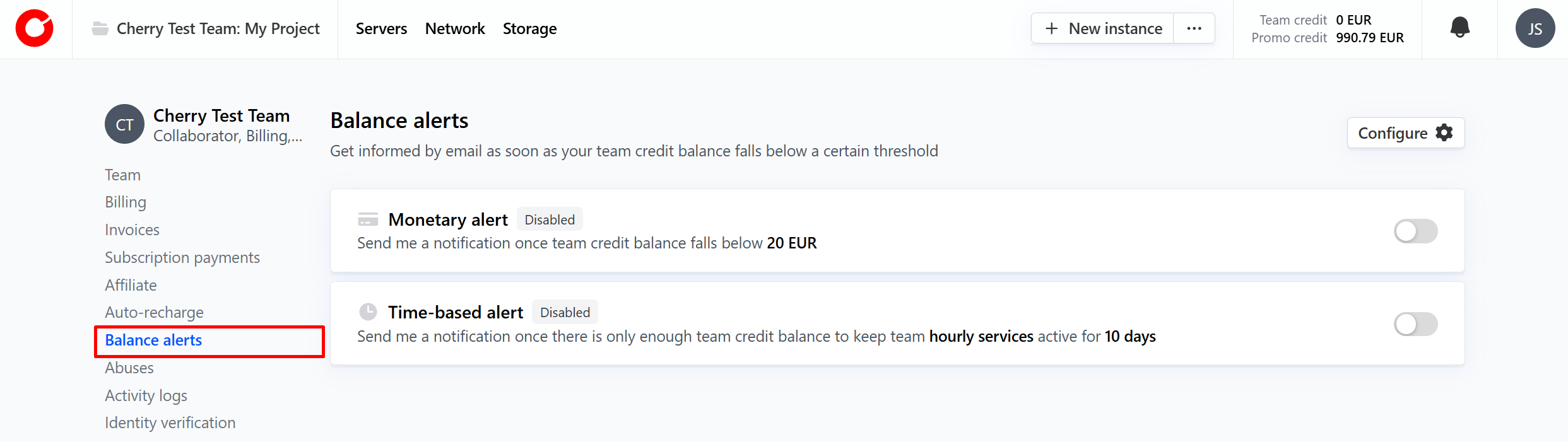
Time-based alerts are based on hourly billing services, so we recommend setting up “Monetary alerts” to inform you once your team balance falls below the level required to keep your service running, based on your invoice.
Fixed-Term
If you wish to keep your fixed-term services running beyond their cycle, you can use manual payments and balance alerts to keep your fixed term services running seamlessly.
-
Click your profile icon on the top right-hand corner, and click your team name.
-
Navigate to “Subscription Payments”
-
Select the active fixed term services that you would like to make repeat payments on from the “Available packages” box. Do not add a credit or debit card payment method if you wish to make manual payments.

-
Your fixed term service will now renew using your team balance.
On-Demand
All on-demand services will continue to operate for as long as you have enough credit in your team balance.
In addition to custom balance alerts, we will send you a standard notification when your available credit is only enough to keep your on-demand services active for less than 72 hours, to allow you enough time to refill your team balance and avoid service termination.