Elastic Block Storage
#What Is Elastic Block Storage?
Elastic block storage (EBS) is a powerful & secure distributed software-defined persistent data storage volume that is fully managed.
Cherry Servers EBS is based on a pool of shared-nothing hard drive disks (HDD) and operated by breaking data into blocks which are then stored as separate partitions with a unique identifier, triplicated, and stored on different nodes to ensure high fault tolerance and availability. The system utilizes a load balancer which analyzes and tunes block data locations for optimal placement within the disk pool.
EBS volumes are limited to 500 input/ output operations per second (IOPS).
#How Does Elastic Block Storage Work?
In the event of a node failure, Cherry Servers EBS uses a copy of the affected data to self-heal in real-time, preventing data loss and even downtime on your active server. Furthermore, our protection mechanisms prevent silent data corruption and misplaced writes, ensuring total data integrity.
EBS volumes can be attached to any server dynamically, providing flexible, persistent storage space that can be expanded up to 5TB per volume.
#How to Activate Elastic Block Storage
Elastic block storage is currently available only for bare-metal dedicated servers located in the Lithuania - Siauliai data center region. EBS can be deployed independently and attached to a server of your choice at a later time.
#Ordering EBS
You can order EBS through the client portal in two ways:
-
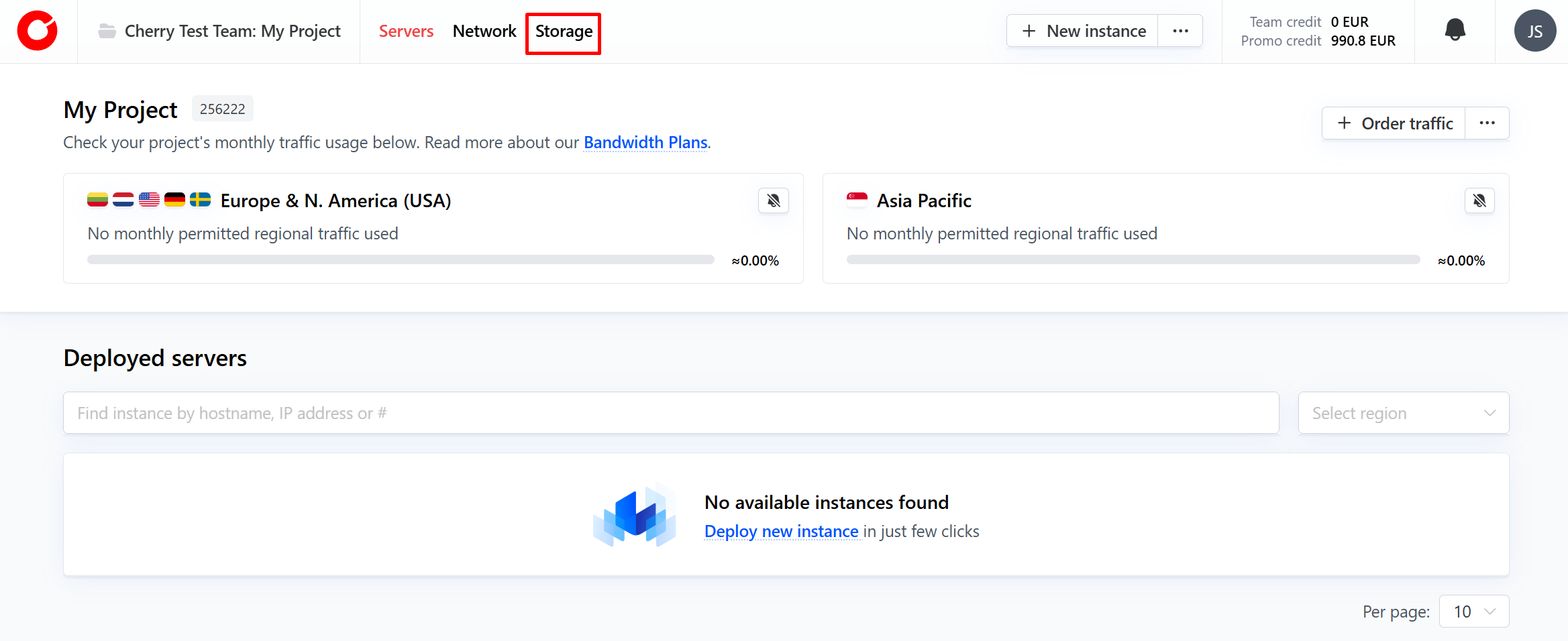
Click the “Storage” button at the top of the home page.

-
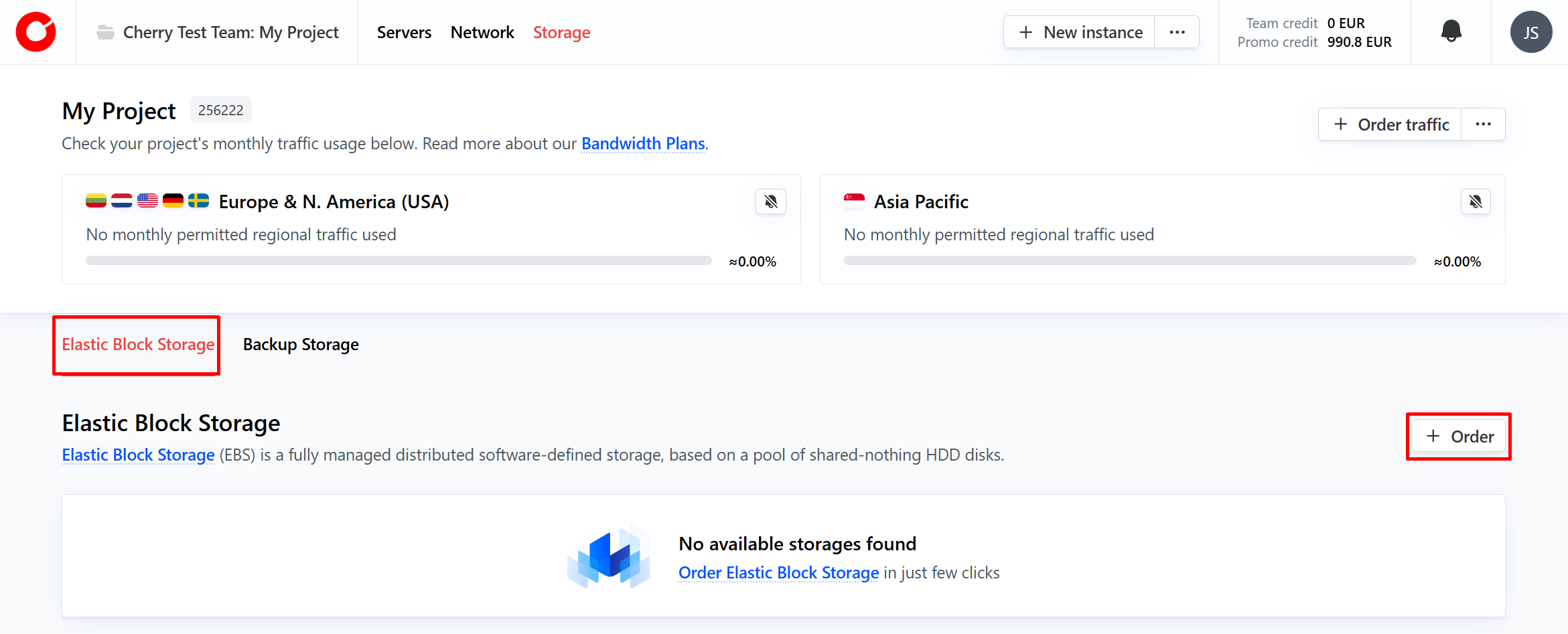
By default this will bring you to the EBS tab. Click the “Order” button in the right hand corner of the EBS tab.

-
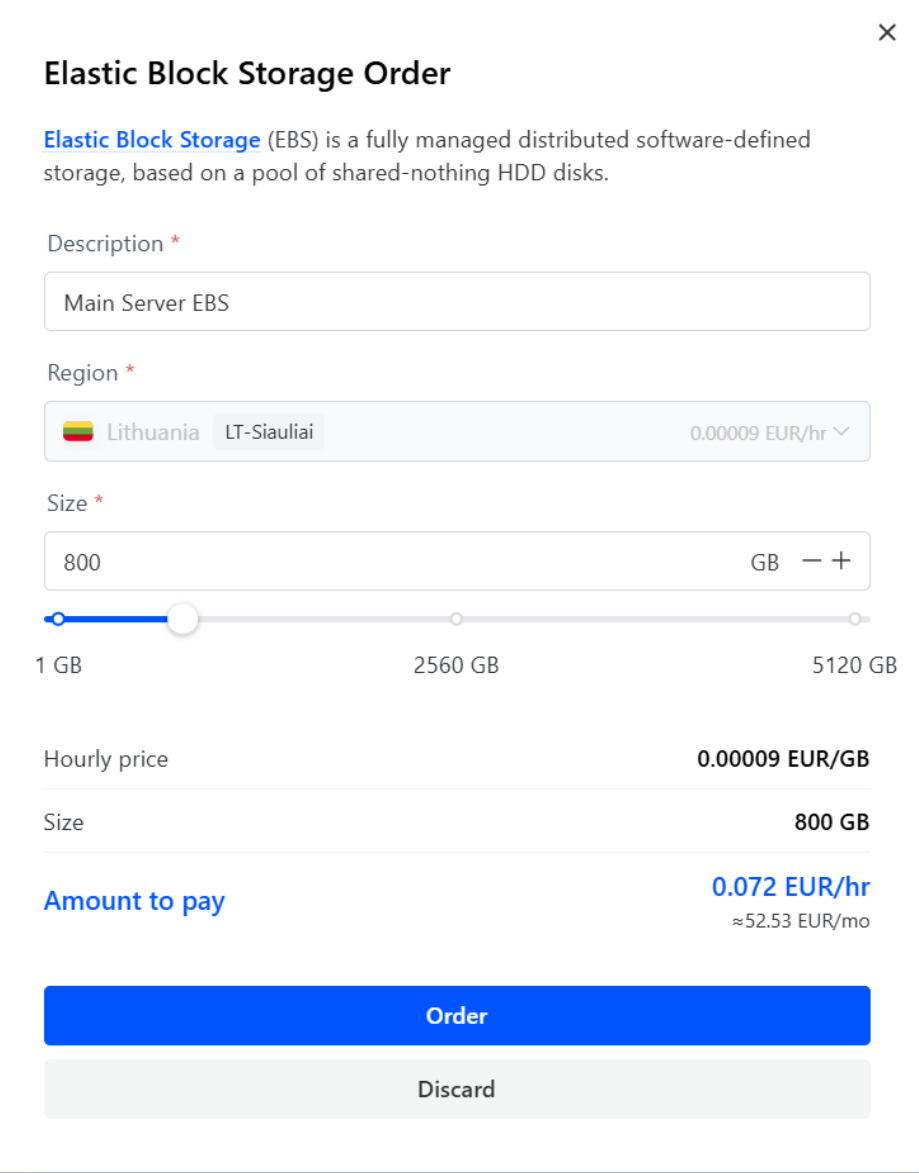
Name your EBS, scale the volume to your desired size, and click “Order”. The price will be dynamically reflected.

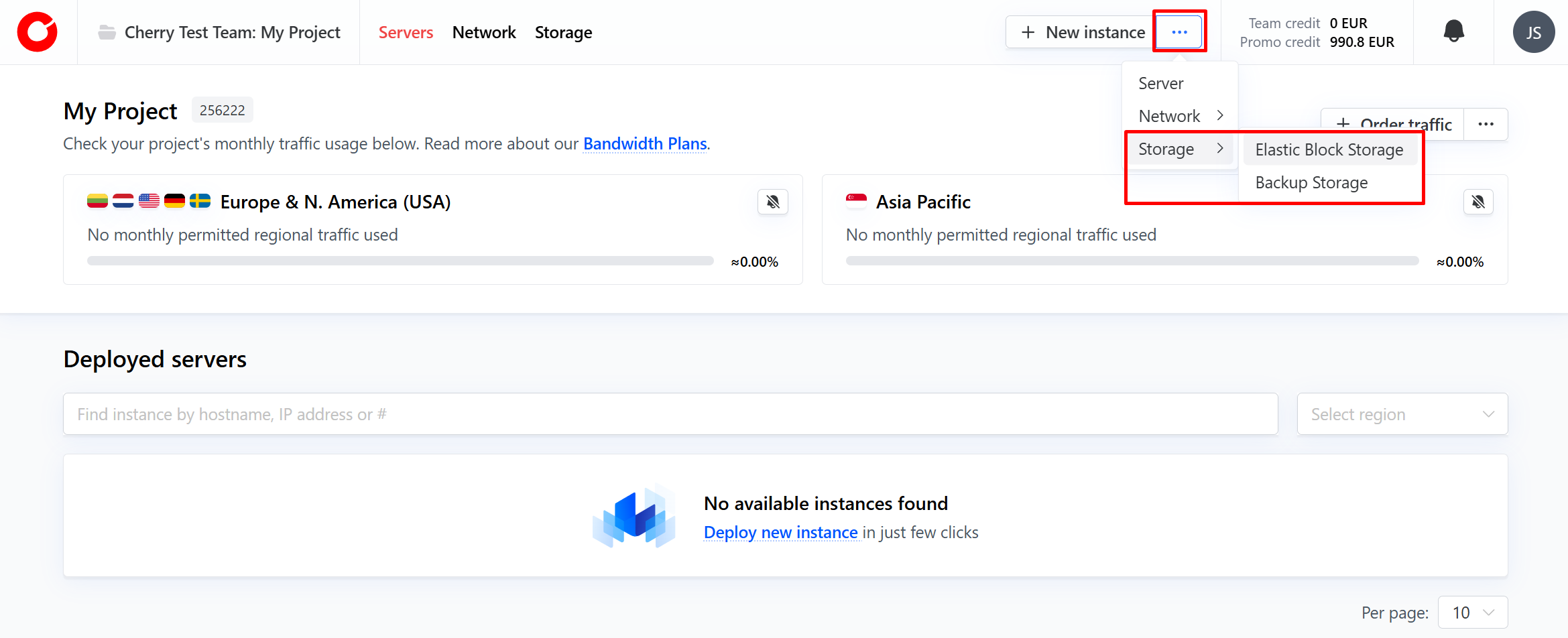
Alternatively, click the three dots next to “New Instance” in the top right-hand corner of the page:
-
From the dropdown options, click “Storage”, and then “Elastic Block Storage”.
-
Name your EBS, scale the volume to your desired size, and click “Order”. The price will be dynamically reflected.
After completing the order, the EBS volume will be displayed in the elastic block storage dashboard in the storage tab of your client portal.
#Attaching EBS to Your Server
-
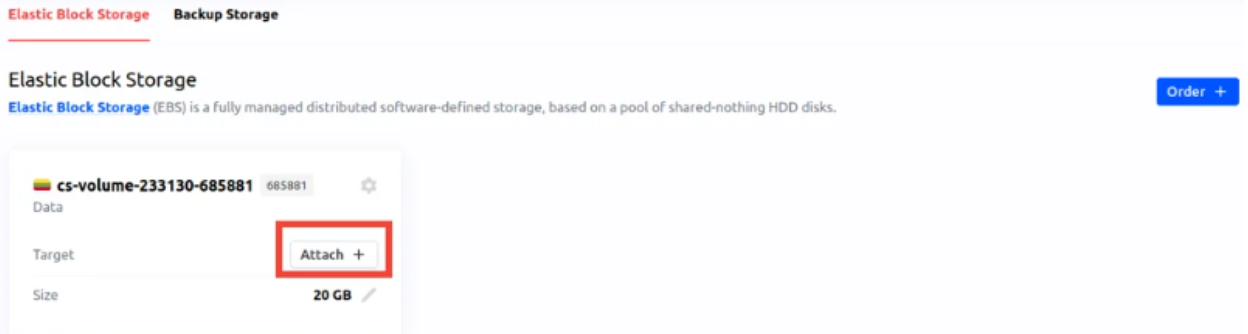
In the Server tab, select the EBS volume you wish to associate with a server and click the “Attach” button.

-
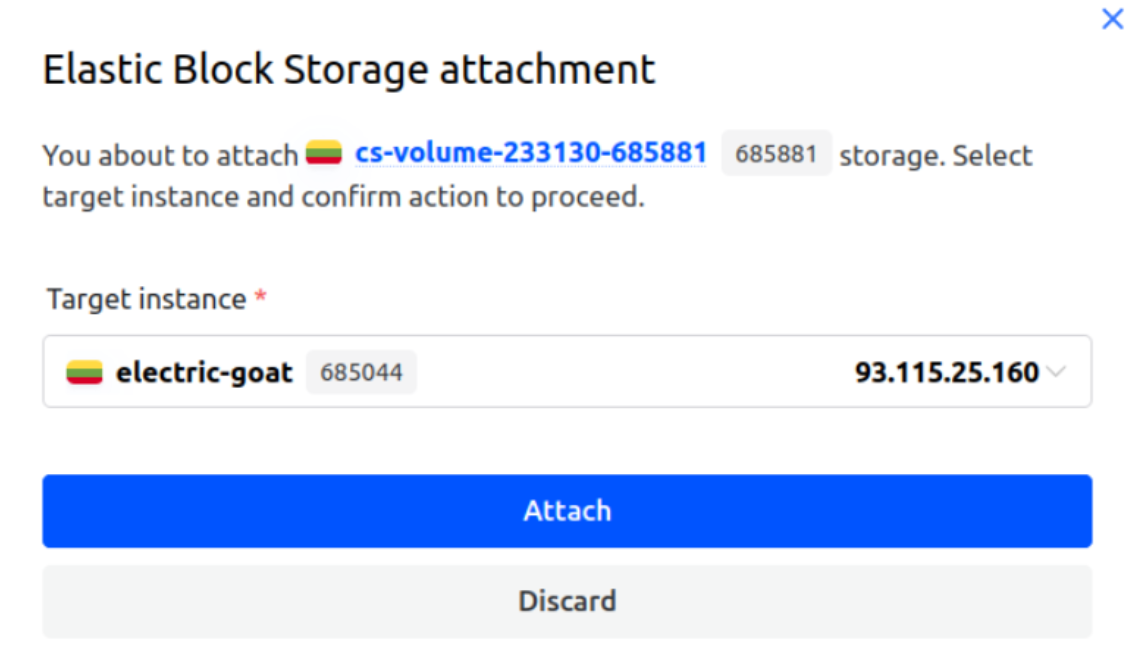
In the window that opens, you will be able to select the server to which you will attach the chosen EBS volume. Only compatible servers will be displayed.

-
After confirming your selection, click the “Attach” button. After a few moments your EBS volume will be attached to the selected server.
Once an EBS volume has been attached to a server, you will be required to configure the storage within the environment.
For instructions on how to configure your EBS volume for a Linux server please visit our dedicated guide: How to Create and Attach Elastic Block Storage Volume to a Linux Server.
For instructions on how to configure your EBS volume for a Windows server, please visit our dedicated guide: How to Create and Attach Elastic Block Storage (EBS) Volume to a Windows Server.