Bandwidth & Traffic Plans
#Cherry Servers Bandwidth Policy
Every Cherry Servers instance ordered with fixed term billing includes a bandwidth & traffic plan which changes depending on the server type. Each plan provides a bandwidth speed limit, as well as a monthly traffic cap. Bandwidth speed allowances are tied to each individual server plan, and do not change regardless of other traffic related packages within a project. Cherry Servers only calculates usage by measuring outgoing data traffic.
#Additive Project Traffic Allowances
Although plans are ordered for specific servers, the total available traffic of a project is additive across all active servers and traffic plans. This means that your monthly limit is calculated as a total of the monthly traffic limit you own across all servers, and it does not matter which server uses any percentage of that total.
For example: If you have two active servers, Server A is a bare metal dedicated server with a 100TB per month plan, and Server B Cloud VDS with a 20TB per month traffic plan, your project has a monthly data egress cap of 120TB per month.
Your servers are not limited by their individual plans and may use any percentage of the 120TB total available traffic. E.g., Server A may use 115TB of data, while your Server B uses 3TB, or vice versa. The total usage across all owned servers must simply not exceed the total monthly traffic cap.
Traffic plans for servers located in the Singapore data center region are handled separately from servers in the USA and Europe regions, and are not bundled together.
If your data usage exceeds your monthly cap, an extra fee will be charged per additional TB used within that billing cycle. If you have exceeded the data cap, Cherry Servers further reserves the right to slow your bandwidth speeds in the event that throttling becomes an issue.
Full information about plans and fees can be found below.
#Server Bandwidth Packages
All servers ordered with fixed-term billing have pre-included egress bandwidth speeds and usage plans which vary depending on the server instance type. The full list of server bandwidth bundles are as follows:
- Dedicated Servers - 100 TB / month at 3 - 10GBps, depending on server core numbers;
- Dedicated Servers (Outlet) - 30 TB / month at 3 - 10GBps;
- Virtual Private Servers (Cloud VPS) - 5 TB / month at 1GBps;
- Virtual Private Servers (Cloud VPS (GEN 2)) - 1 TB / month at 1GBps;
- Virtual Private Servers (Storage VPS) - from 10 TB to 35 TB / month at 1GBps;
- Virtual Dedicated Servers (Cloud VDS) - from 10 TB to 20 TB / month at 1GBps;
- Virtual Dedicated Servers (Cloud ARM VDS) - from 10 TB to 20TB / month at 1GBps;
- Virtual Dedicated Servers (Premium VDS) - from 10 TB to 20 TB / month at 1GBps;
- Virtual Dedicated Servers (Performance VDS) - from 10 TB to 20 TB / month at 1GBps.
Your project’s monthly traffic usage is calculated as a rolling total in a 30 day period. Using static usage as a simple example:
If you deploy a server on January 1st, and you use 5TB of data on the same day, but then use no data until January 30th, when you use 2TB, as of January 31st your data usage over the past 30 days would be recorded at 7TB. However on February 2nd, your 30 day traffic usage would be considered to be 2TB.
If the monthly data egress cap is exceeded, an extra fee of €0.5/TB is charged according to each additional terabyte used in the same billing cycle. We send a notification email when the data usage of your project reaches 90 percent of a project’s monthly traffic limit. This number can be adjusted in your user account according to your preferences.
If the monthly traffic cap approaches or exceeds 100% of your project's allowance, Cherry Servers may reduce bandwidth speed to as much as 100Mbps until usage returns to below the cap, or additional traffic is ordered. This ensures that the network and other users are not adversely affected.
#Asia-Pacific (APAC)
Due to higher infrastructure and data costs in Asia-Pacific, traffic plans for servers located in the Singapore and Tokyo data center regions have independent limits and costs from other Cherry Servers data centers. Server traffic plans for deployments in Singapore and Tokyo are as follows:
- Dedicated Servers - 20 TB/month
- Virtual Servers (Cloud VPS) - 2 TB / month
- Virtual Servers (Cloud VPS (GEN2)) - 1 TB / month
- Virtual Servers (Cloud VDS) - from 3 TB to 5 TB / month
- Virtual Servers (Premium VDS) - from 1 TB to 3 TB / month
- Virtual Servers (Performance VDS) - from 1 TB to 3 TB /month
If the monthly data egress cap is exceeded, an extra fee of €1.69/TB is charged according to each additional terabyte used in the same billing cycle. We send a notification email when the data usage of your project reaches 90 percent of a project’s monthly traffic limit. This number can be adjusted in your user account according to your preferences.
#Traffic Use for Hourly Servers
For servers ordered on an hourly billing cycle, the data egress limit is also considered hourly. This is calculated according to the monthly traffic limit plans listed above and divided to reach an hourly limit, where one month is considered to be 30 days.
For example: *If you deploy an Intel Gold 5315Y dedicated server on an hourly billing cycle, your traffic limit will be calculated by dividing this server tier’s monthly data cap, in this case 30TB per month, by the number of hours in a 30 day period, 720 hours. 30TB / 720 = 41.7GB.
Your hourly traffic usage cap would therefore be 41.7GB.*
As with fixed term server traffic limits, the total usage cap is additive of all active servers and their affixed traffic plans. In the case of hourly servers, the total cap will be increased by the number of hours the server has been live for, not how much it would theoretically be allowed over a 30 day period.
For example: If you have an Intel Gold 5315Y dedicated server deployed on a monthly billing cycle, with 30TB per month traffic, and a second Intel Gold 5315Y dedicated server that has been deployed for 10 hours, with 41.7GB per hour egress, your total traffic limit at that time will be 30TB + 417GB for a total of 31.417TB.
#How to View Data Usage
Your project’s current data usage out of its total monthly allowance can be viewed easily at the top of the server overview in the client portal.
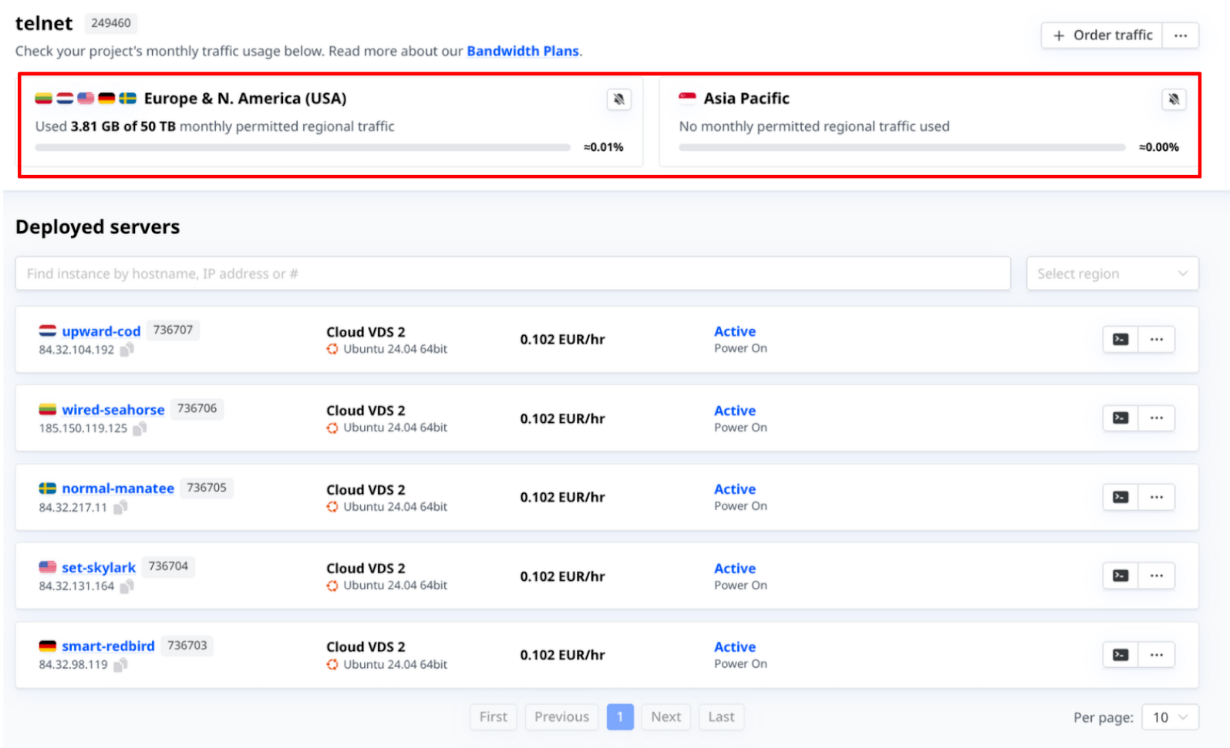
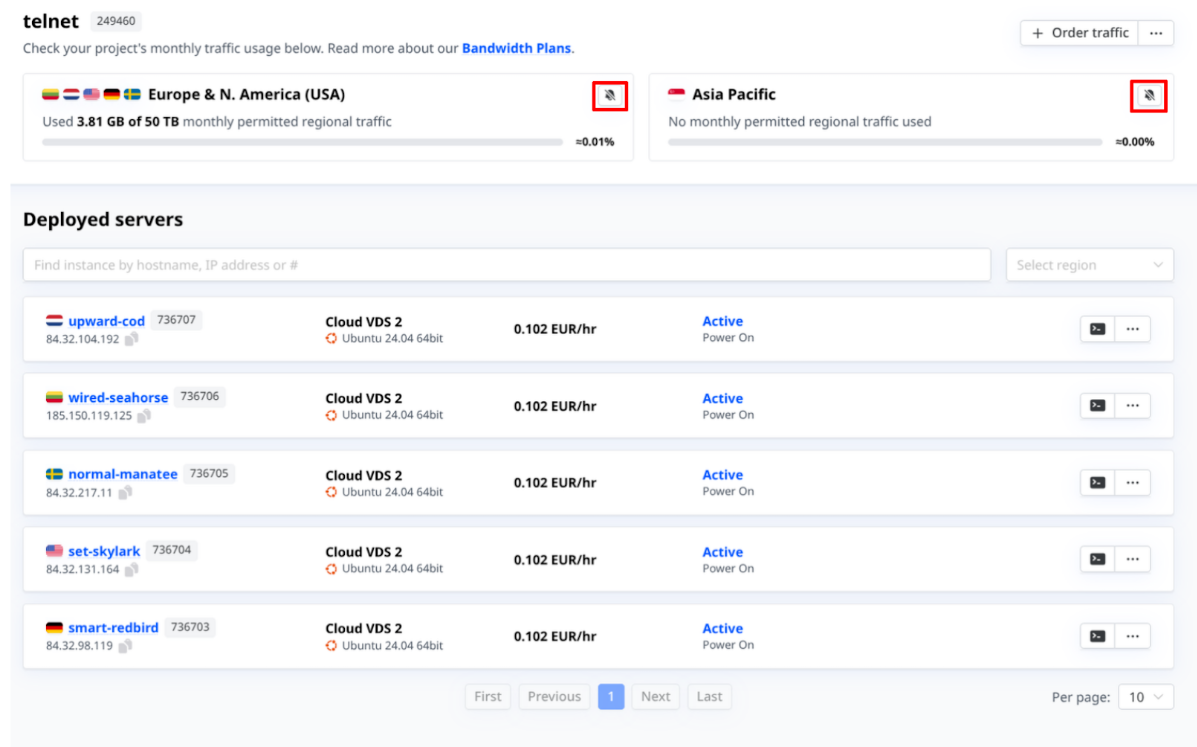
To ensure you remain aware of your servers’ current data usage, you may also opt to enable and manage notifications to inform you when usage reaches a certain threshold by clicking the bell icon. By default, this threshold is set at 90%.
#How to Order Additional Bandwidth
Additional traffic packages can be ordered for your project from the client portal in one of two ways.
-
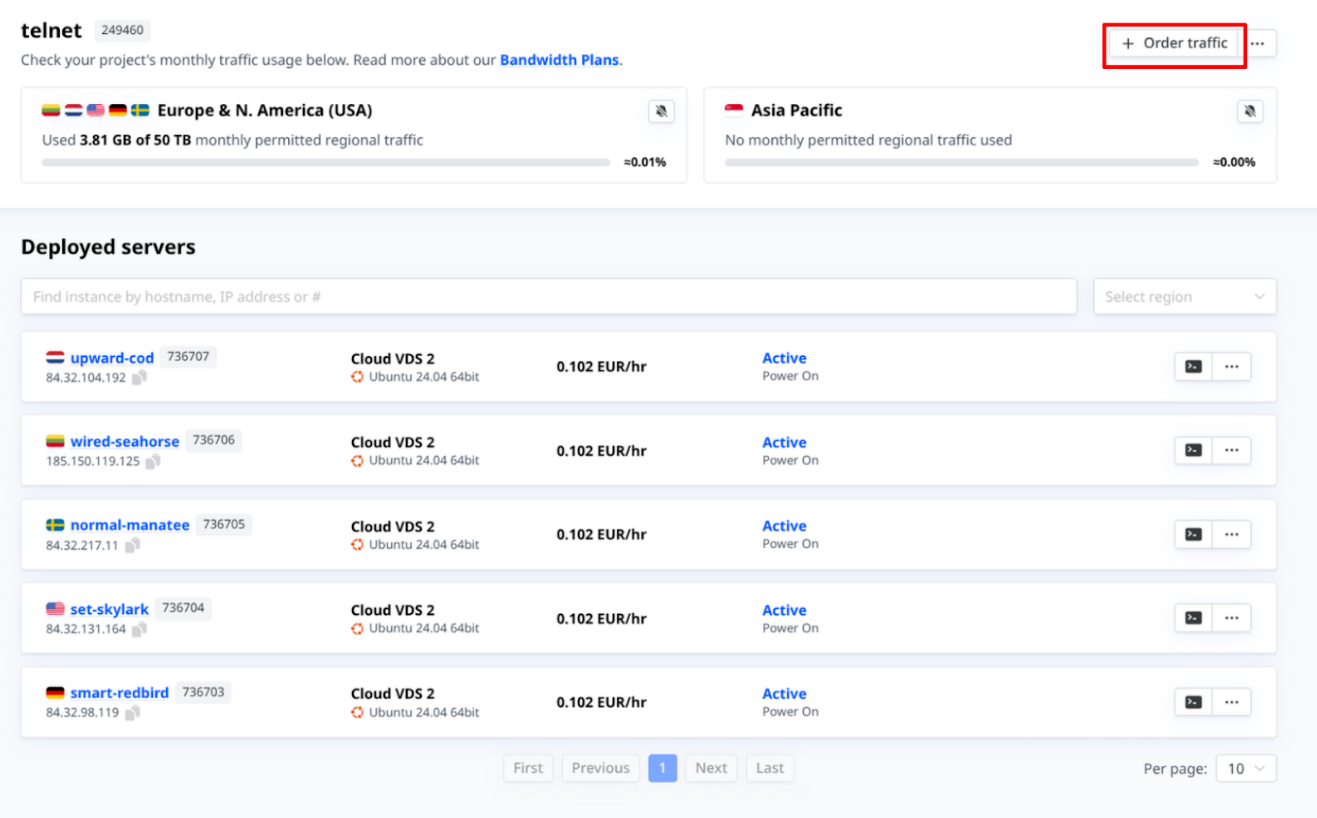
In your server overview, click the “Order traffic” button in the top right corner above your server information. Then, select the plan you would like to add.

-
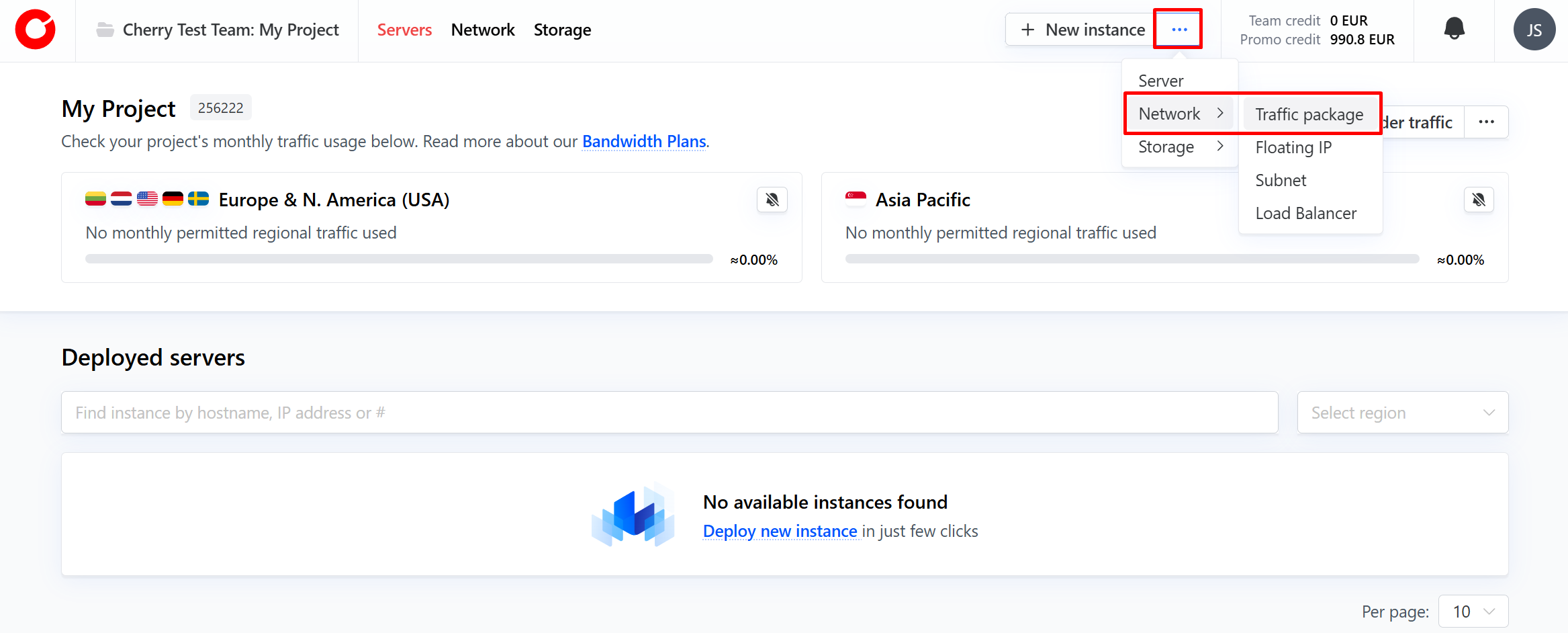
From the Client Portal home screen, click the three dots next to “New Instance”. From the dropdown, select “Network” and “Traffic package”. Then, select the plan you would like to add.

After one hour, your new traffic allowance will be applied to all active servers.