Public IP Subnet (Static Route)
#What Is a Public IP Subnet (Static Route)?
Cherry Servers’ public IP subnet (static route) is an alternate IP subnet using an isolated range of IP addresses to route traffic.
Cherry Servers public IP subnets (static route) are available in all regions for dedicated bare-metal servers only.
Please keep in mind that once an IP address from an IP subnet (static route) has been assigned to a server, it may not be possible to move any further IP addresses from that subnet to a different server at a later time.
By default, public IP subnets (static route) use IPv4 addresses. It is also possible to order a public IP subnet with IPv6 addresses. For more information, please visit our dedicated IPv6 page.
#How Does a Public IP Subnet (Static Route) Work?
While a standard IP subnet uses its own network configuration to route traffic, a static route IP subnet does not reserve any IP addresses from its IP range for network, gatework, or broadcast configurations. Instead, it utilizes the standard network interface of the server to route traffic.
IP subnets come in ranges with a minimum amount of IP addresses included. Available ranged with Cherry Servers currently are:
- /29 (8 IP addresses),
- /28 (16 IP addresses),
- /27 (32 IP addresses),
- /26 (64 IP addresses),
- /25 (128 IP addresses),
- /24 (256 IP addresses).
As none of the IP addresses are reserved by the subnet, you are free to use any and all of the available IP addresses within the range.
For example: An IP subnet range of 203.0.113.0/29 has been ordered. This range has eight IP addresses Each of the IP addresses, listed below, are available for use.
- 203.0.113.0,
- 203.0.113.1,
- 203.0.113.2,
- 203.0.113.3,
- 203.0.113.4,
- 203.0.113.5,
- 203.0.113.6,
- 203.0.113.7.
The image below demonstrates the exact topology of the static route IP subnet.
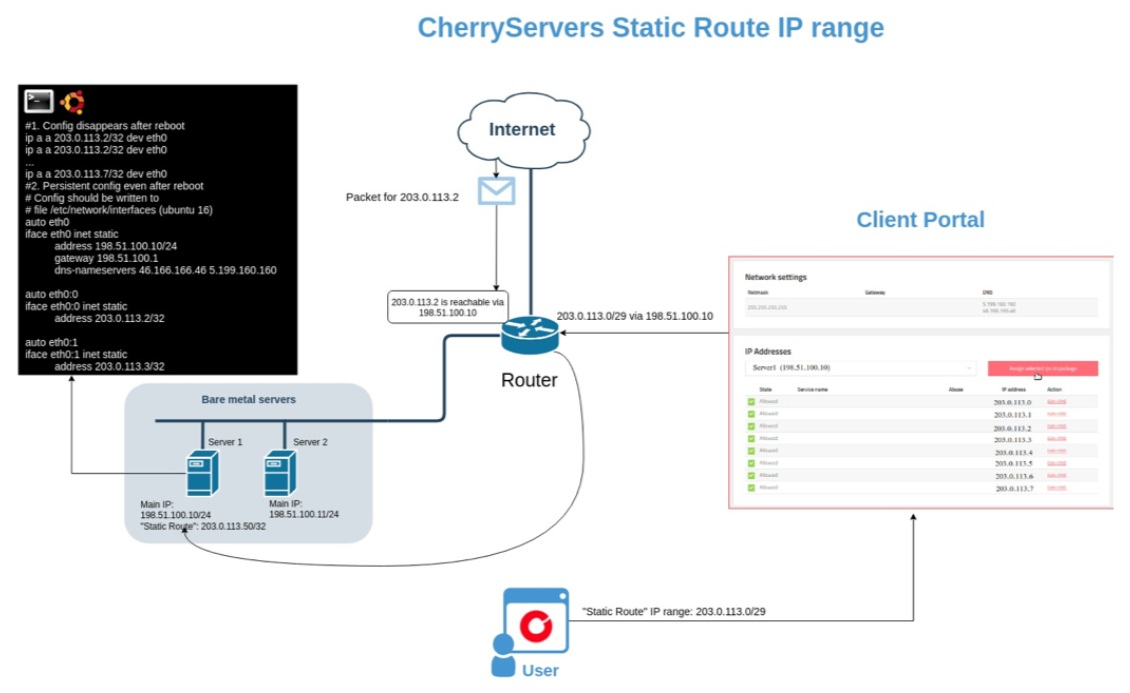
Effectively, traffic that arrives to any of the static route IP subnet IP addresses is routed to the default management IP address (198.51.100.10).
#How to Order
Static route public IP subnets can currently only be ordered upon special request. Please contact your dedicated personal account manager, or email our sales team to learn more.
#How to Manage Your Public IP Subnet (Static Route)
You can view all of your active static route public IP subnets on the client portal at any time by clicking “Network” at the top of the page and navigating to the “Subnets” tab.
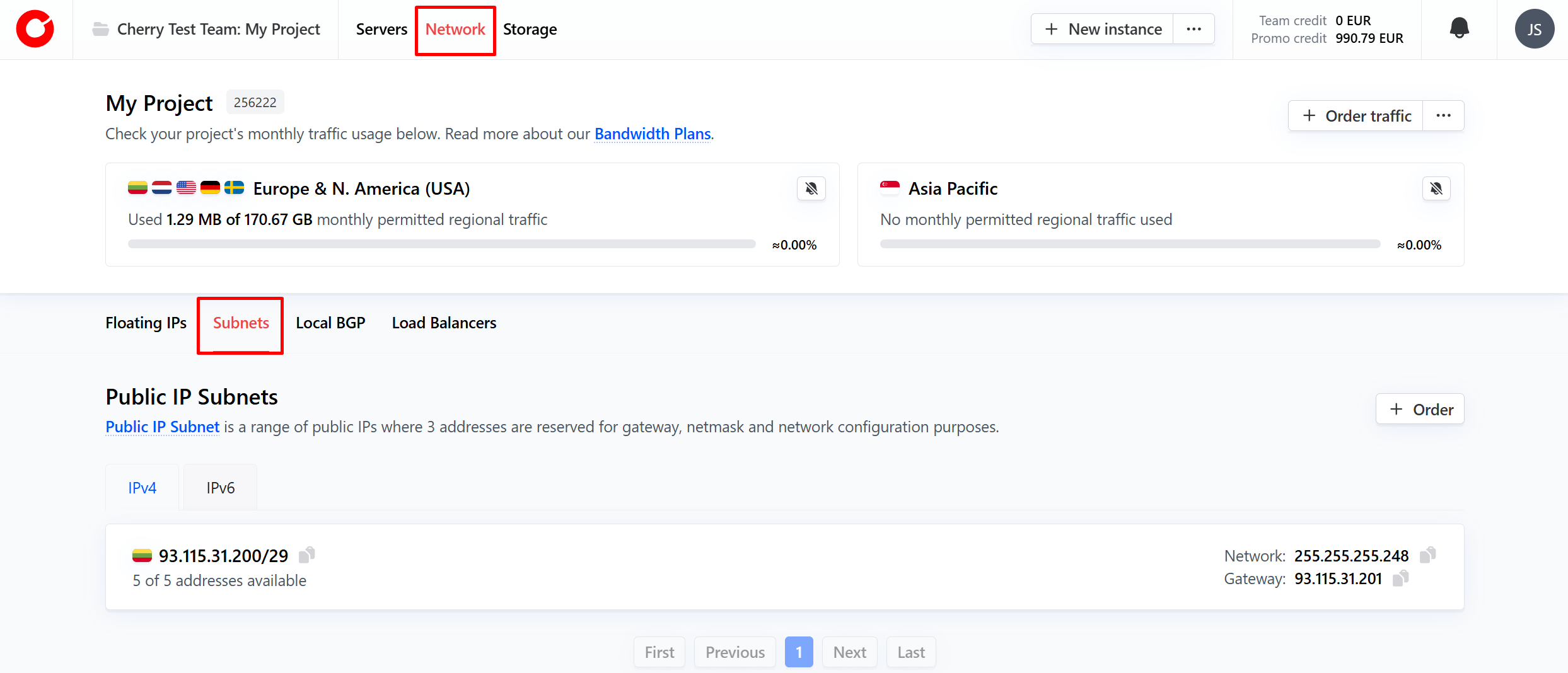
Here you can manage and configure your IP subnets (static route) to meet your needs. Simply click on the subnet you’d like to manage to get started.
IP Addresses
To manage your overall subnet, you can perform the following actions by clicking the “manage” button in the top right corner on the tab.
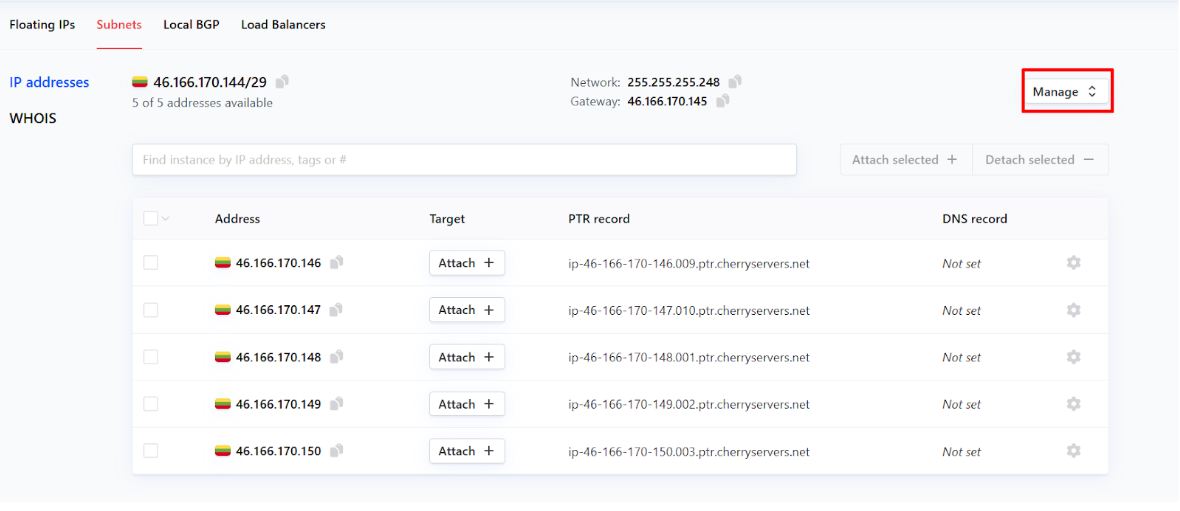
- Edit details;
- Add tags - a metadata label to help organize and manage your IP subnet (static route);
- Terminate - end your public IP subnet (static route) service.
You can attach and alter your available IP addresses, either by clicking “Attach” in the target column on unattached IP addresses, or by clicking the cog next to each address.
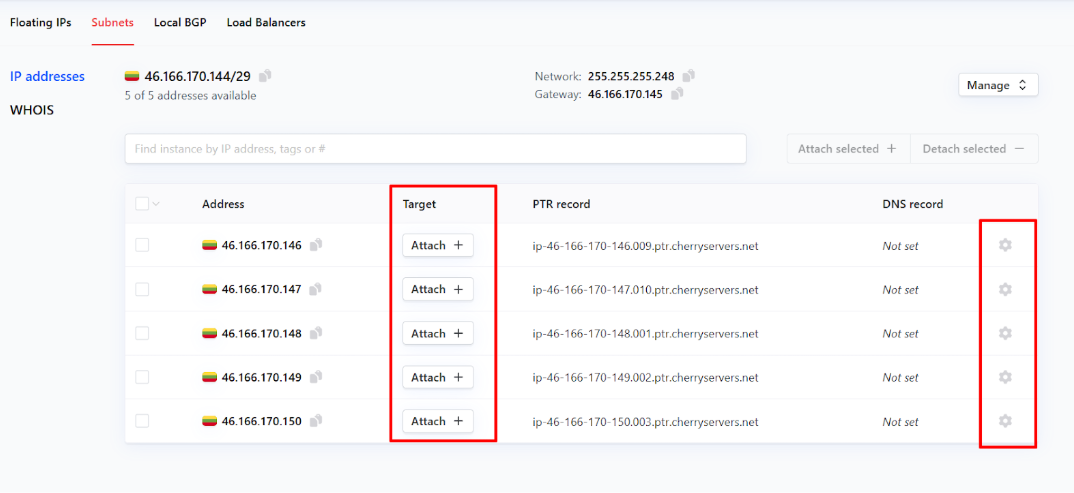
For each IP address, you may perform the following operations:
- Attach - connect the IP subnet (static route) IP address to a server;
- Edit;
- PTR record - used for reverse DNS lookups. This is assigned by default;
- DNS record;
- Add tag - a metadata label to help organize and manage your IP subnet (static route) IP addresses.
WHOIS
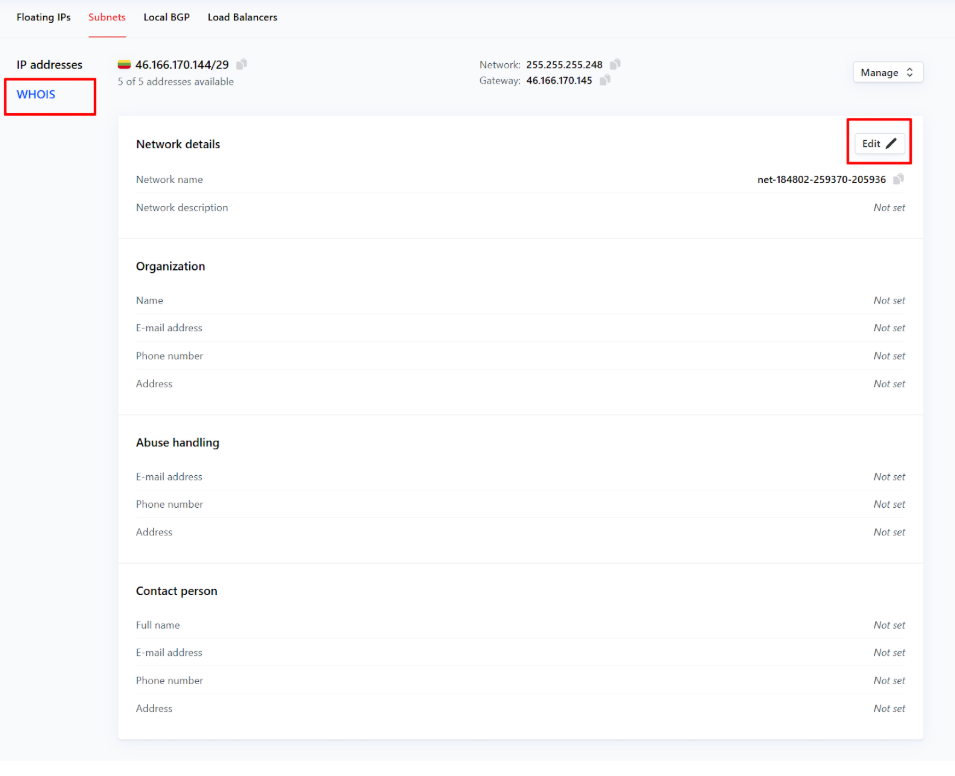
In the WHOIS section of your public IP subnet (static route) page, you can add:
- A description of the network,
- Contact information about your organization,
- Who to contact about detected abuse instances,
- Personal details for the individual responsible for the use of the subnet.
Simply click “Edit” to get started.