Management IP
#What Is a Management IP Address?
Each dedicated and virtual dedicated server is deployed with a public IPv4 address assigned to administrative access. This is known as the Management IP. This IP address provides administrators with a secure pathway to connect to the server’s operating system management interface, which is entirely separated from public operational traffic.
The management IP effectively facilitates server configuration, updates, troubleshooting, and other management operations.
#How Does a Management IP Work?
Cherry Servers management IPs are assigned with an additional gateway IP address, providing the server with a default destination route through which to send packets. When a server needs to send information, it will first check its routing table for the default route, via the gateway IP. The packet is sent to this gateway, and the router it belongs to forwards the packet onto the internet and to the DNS server, which then provides a response.
Below is an example:
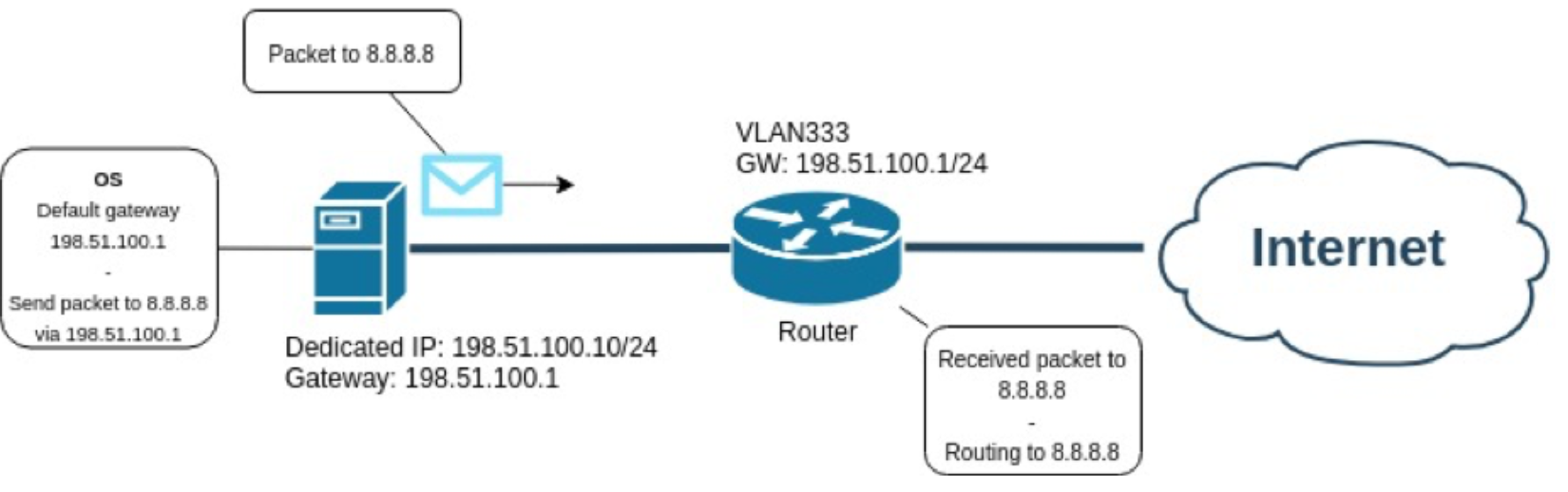
In this example, your server has been assigned with the management IP address 198.51.100.10, which automatically routes to its default gateway address, 198.51.100.1.
If you wanted the ping 8.8.8.8., the process would be as follows:
- Your server generates traffic to send to the destination DNS server;
- After you initiate your query, your server looks up its routing table and finds its default route, via the gateway IP, which is set to 198.51.100.1;
- The packet is sent to the identified default gateway;
- The router which owns gateway IP address, 198.51.100.1., forwards the packet to the internet, and on to DNS server 8.8.8.8;
- If successful, the DNS server generates a response to your server’s management IP.
#Where Can I View My Server’s Management IP?
-
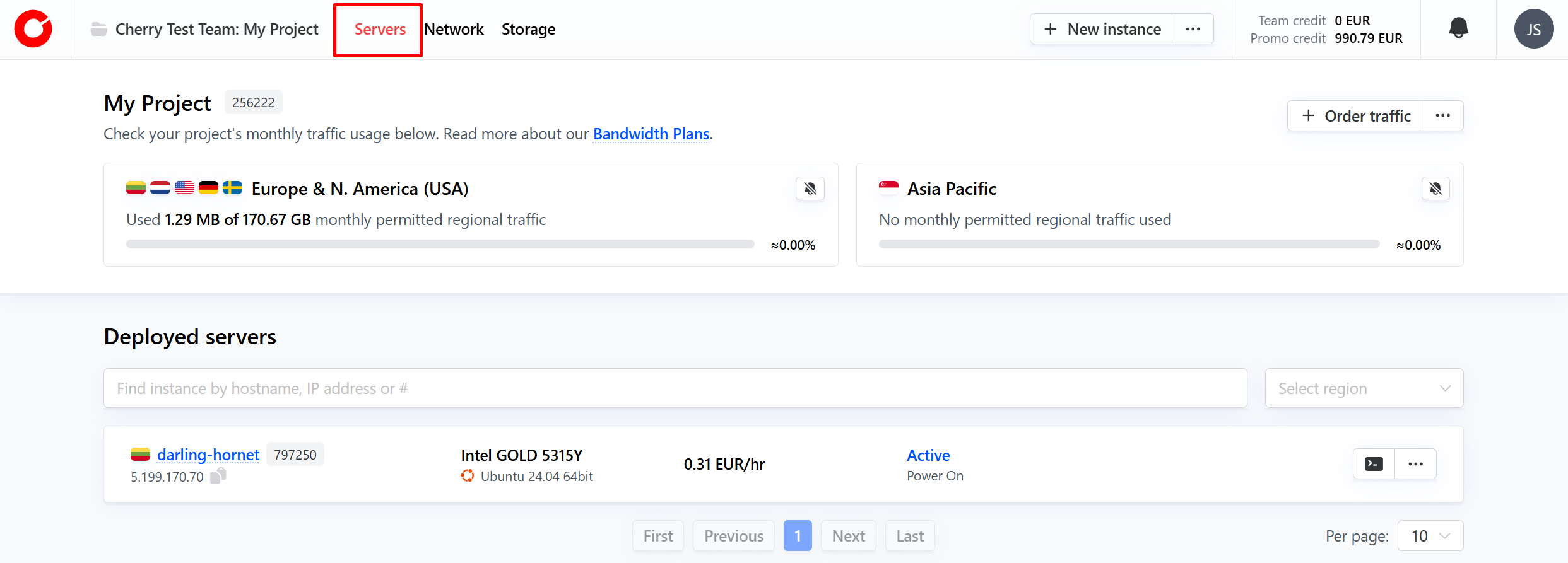
To view your server’s management IP, log into the client portal, and navigate to “Servers”.

-
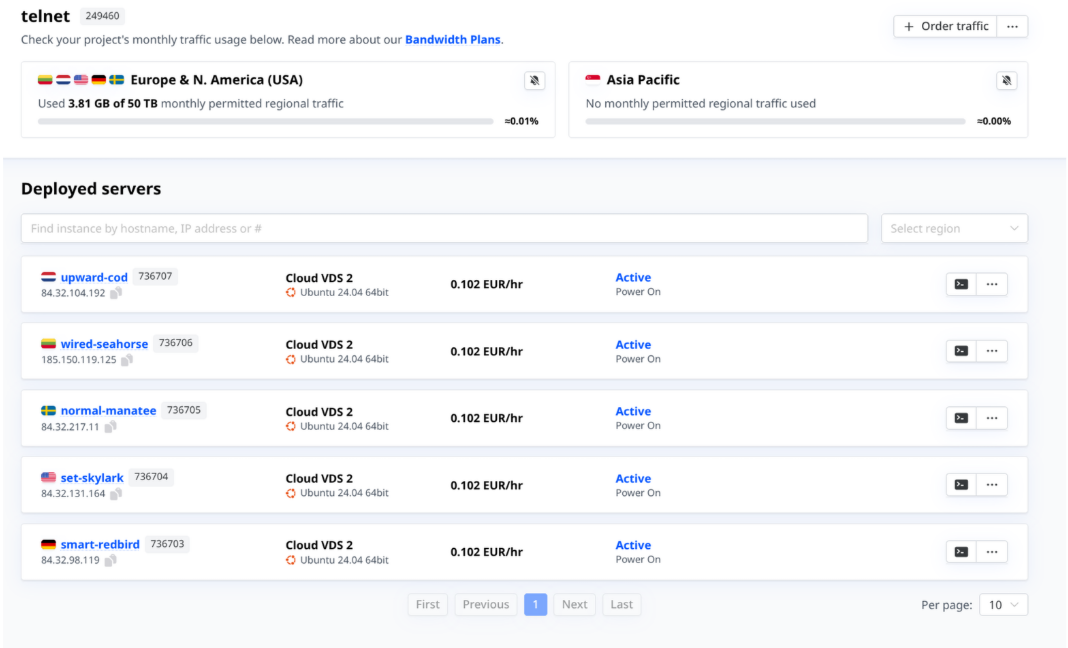
Choose the live server you would like to check from your available deployments.

-
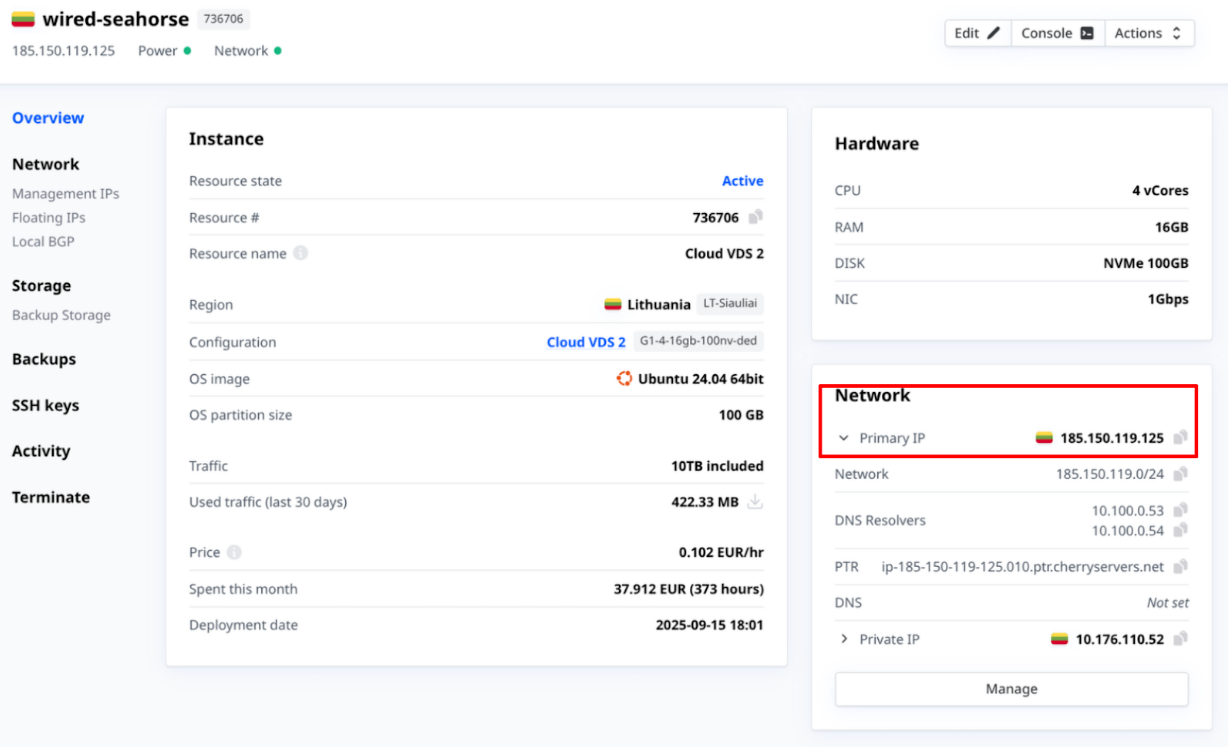
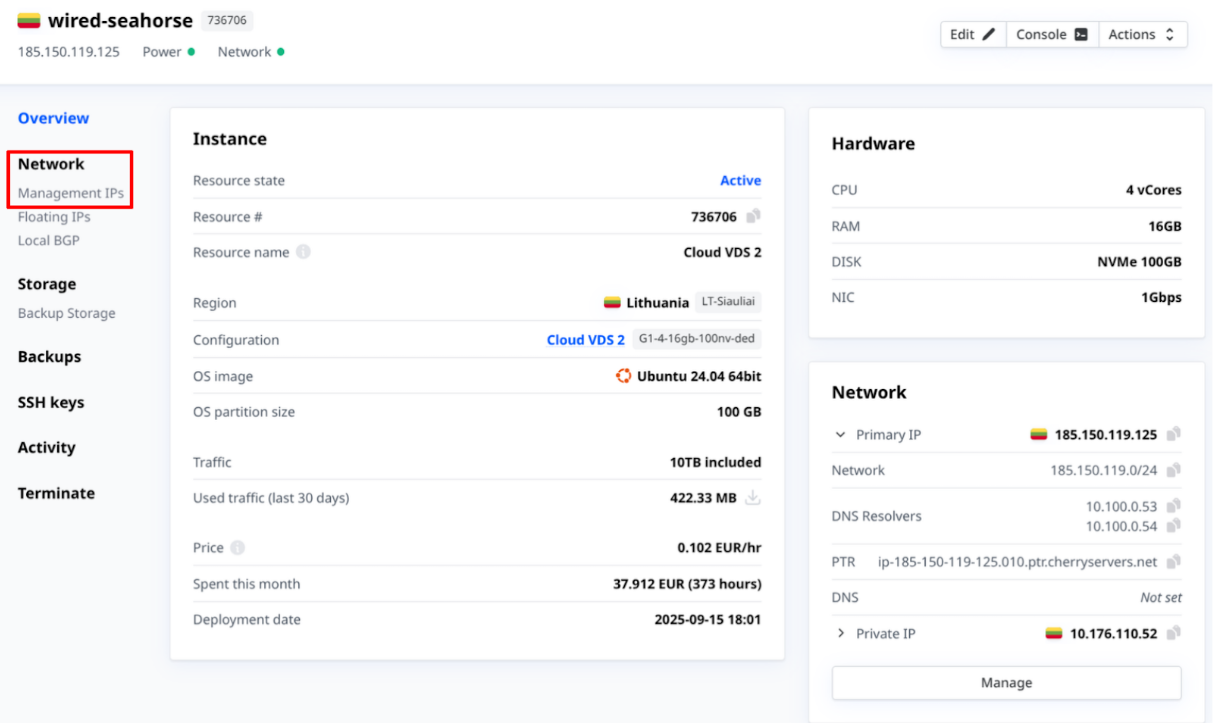
An overview will be provided on the right-hand side in a box labeled “Network”. The Management IP is listed here as the server’s “Primary IP”.

-
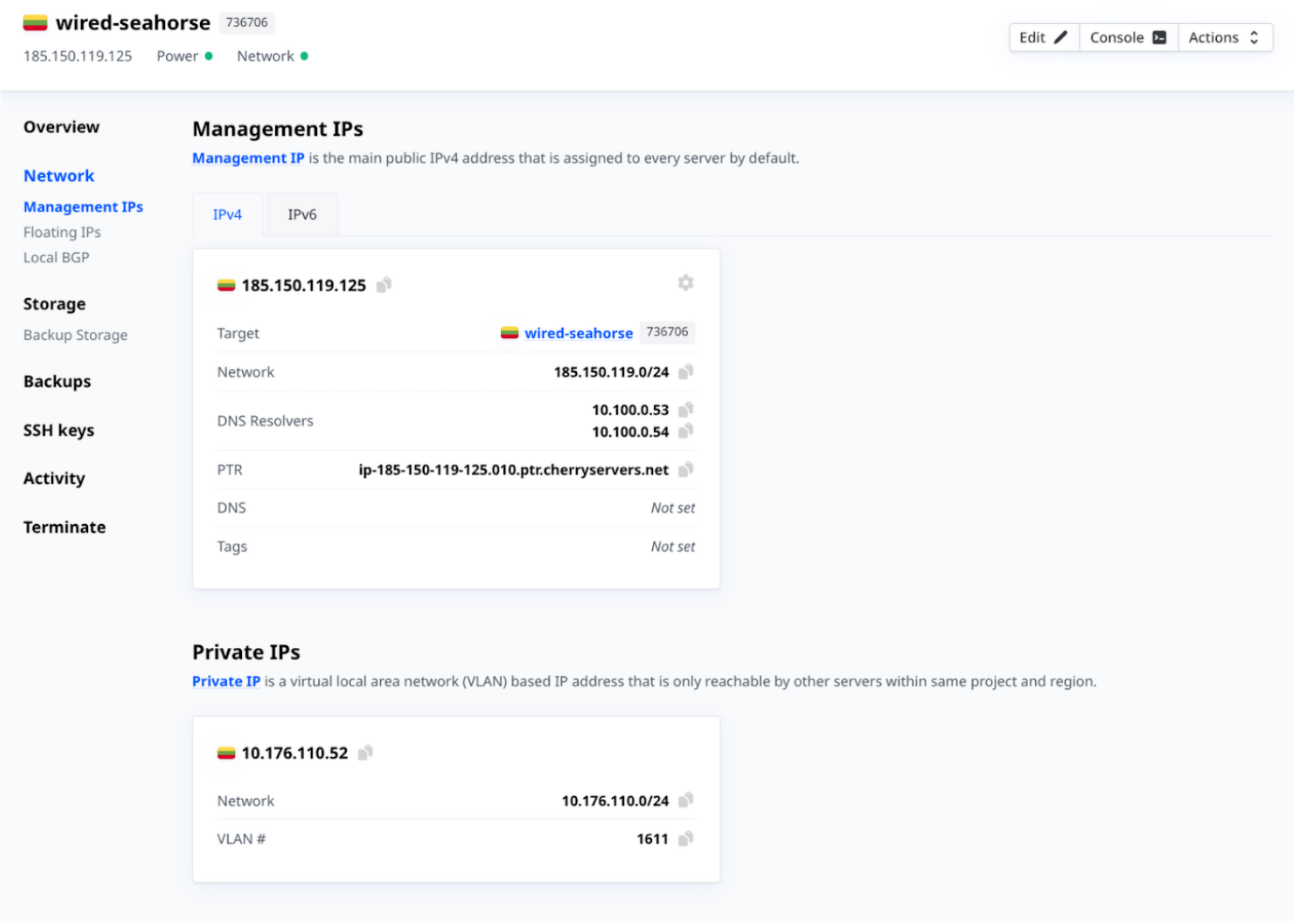
For a more detailed view, in the sidebar on the left-hand side of the page, click the “Management IP” option, listed under “Network”.
-
This page lists the management IP, Target, Network, Gateway, and DNS resolvers for the server.

#Additional IP Addresses
Clients can opt to add additional IP addresses to servers upon deployment, or from the client portal. Below are the IP addressing options offered by Cherry Servers.
- Floating IP - A public IPv4 address that can be instantly moved from one server to another within the same region.
- Public IP Subnet - A public IP subnet with flexible IP address ranges.
- IPv6 - The latest and most advanced interaction of the Internet Protocol, using 128-bit addresses with improved end-to-end security and processing efficiency.
#Restrictions and Limitations
A management IP address cannot be reconfigured after deployment.