Custom Servers
#What Is a Custom Server?
Cherry Servers understands that having full control over your server is of the utmost importance when managing high intensity workloads. To better empower our clients, we offer extensive server deployment customization options to let you build the perfect server for your operations.
Clients can choose their ideal CPU, adjust RAM volumes, and add physical storage disks during deployment.
In order to install the requested custom hardware specifications, custom server orders require a one time setup fee of €99/ $109 upon order.
#What Are the Available Hardware Options?
#CPU
8 - 16 Cores
Our 8-16 core CPU offerings are mid-range to high-end intended for light workloads. The available models are from the series’ listed below:
- Intel Gold 5000 series;
- AMD EPYC 7000, 9000 series;
- AMD Ryzen 7000 series.
24 - 32 Cores
24 - 32 core CPUs are options with higher clock speeds that optimize performance for demanding tasks, intended for use with specialized workloads. The available CPUs are from the following series:
- Intel Gold 6000 Series;
- AMD EPYC 7000, 9000 series;
- AMD Threadripper Pro 7000 series.
48 - 128 Cores
Our 48 - 128 core range offers multiple CPUs installed to a single unit to supply higher throughput and faster speeds. The CPUs are from the following series:
- Intel Gold 6000 series;
- AMD EPYC 7000, 9000 series.
#Memory
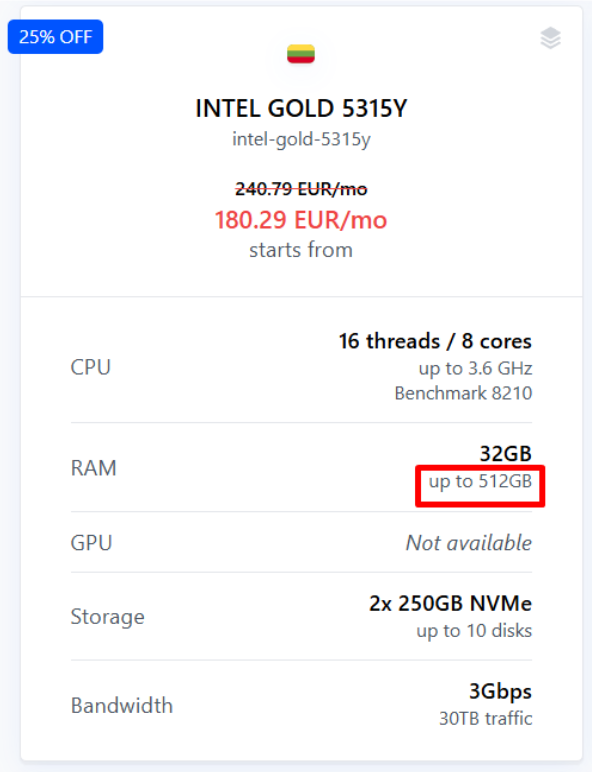
Our default server plans offer high speed, power efficient, high volume RAM to ensure optimal responsiveness for multi-thread operations. Each plan offers a certain amount of RAM included in the base price, with additional options available, depending on the plan. The maximum available RAM is indicated within each offer in grey text on a per server basis, as indicated by the image below.
The RAM types used in our servers are as follows:
- ECC REG DDR4,
- DDR5,
- ECC DDR5,
- ECC REG DDR5.
#Storage
Cherry Servers utilizes non-volatile memory express (NVMe) solid state drives (SSD) across our entire range of dedicated servers. NVMe delivers higher performance, lower latency responsive storage than competing solutions, making it the ideal choice for high-end workloads.
NVMe storage makes full use of multi-core computing and high volume memory to run thousands of parallel command queues, as well as high speed polling, to deliver improved performance for enterprise level computing environments.
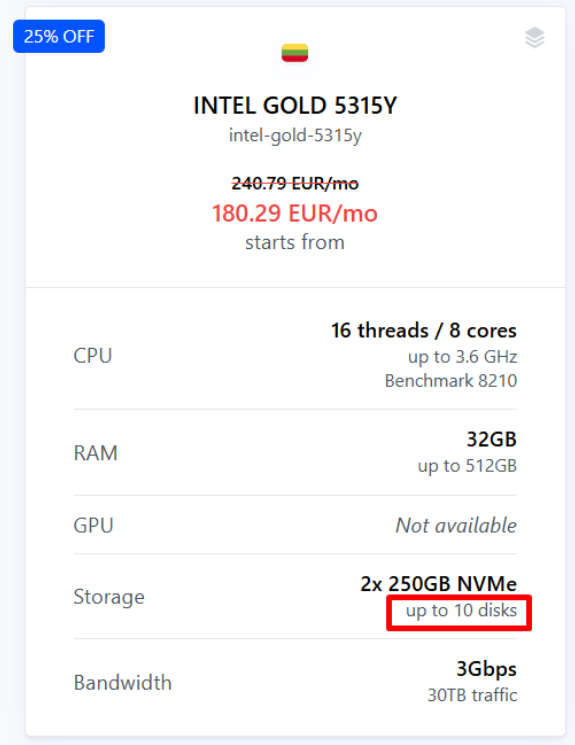
Each of our instant server configurations is equipped with two NVMe storage disks included in the base price by default. These default disks can be changed, however they will no longer be included in the base server price. Additional disks can be attached, up to a maximum indicated in grey text as shown in the image below. The possible maximum storage disks will be either three, four, six, eight, or ten, depending on the chosen CPU.
Some servers include the option to attach SATA solid state drives (SSD) and hard drive disks (HDD) as required. Please note that server stock disks cannot be downgraded below the stock volume provided on each server.
Disk volume options are listed below, and availability may vary depending on the selected CPU.
NVMe
- 250GB,
- 500GB,
- 1TB,
- 2TB,
- 4TB,
- 8TB.
SATA SSD
- 250GB,
- 500GB,
- 1TB,
- 2TB,
- HDD,
- 3TB,
- 8TB,
- 16TB.
#How to Customize Your Server Hardware
Custom servers can be ordered at any time from the client portal. Custom hardware selections will require a one time setup fee of €99/ $109, and may take up to 24 hours to deploy. Here are the step by step instructions to start building, with images for reference.
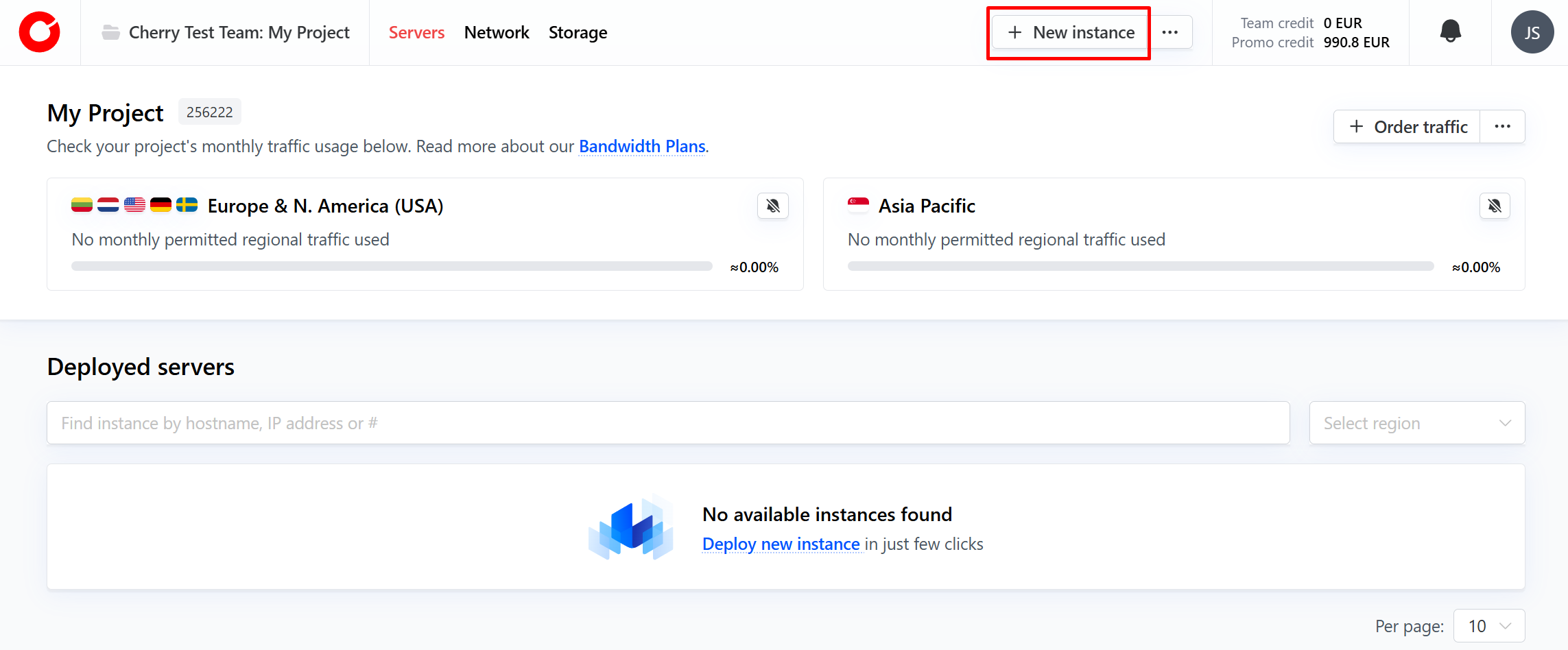
- To begin, click the “New Instance” button in the top right corner.
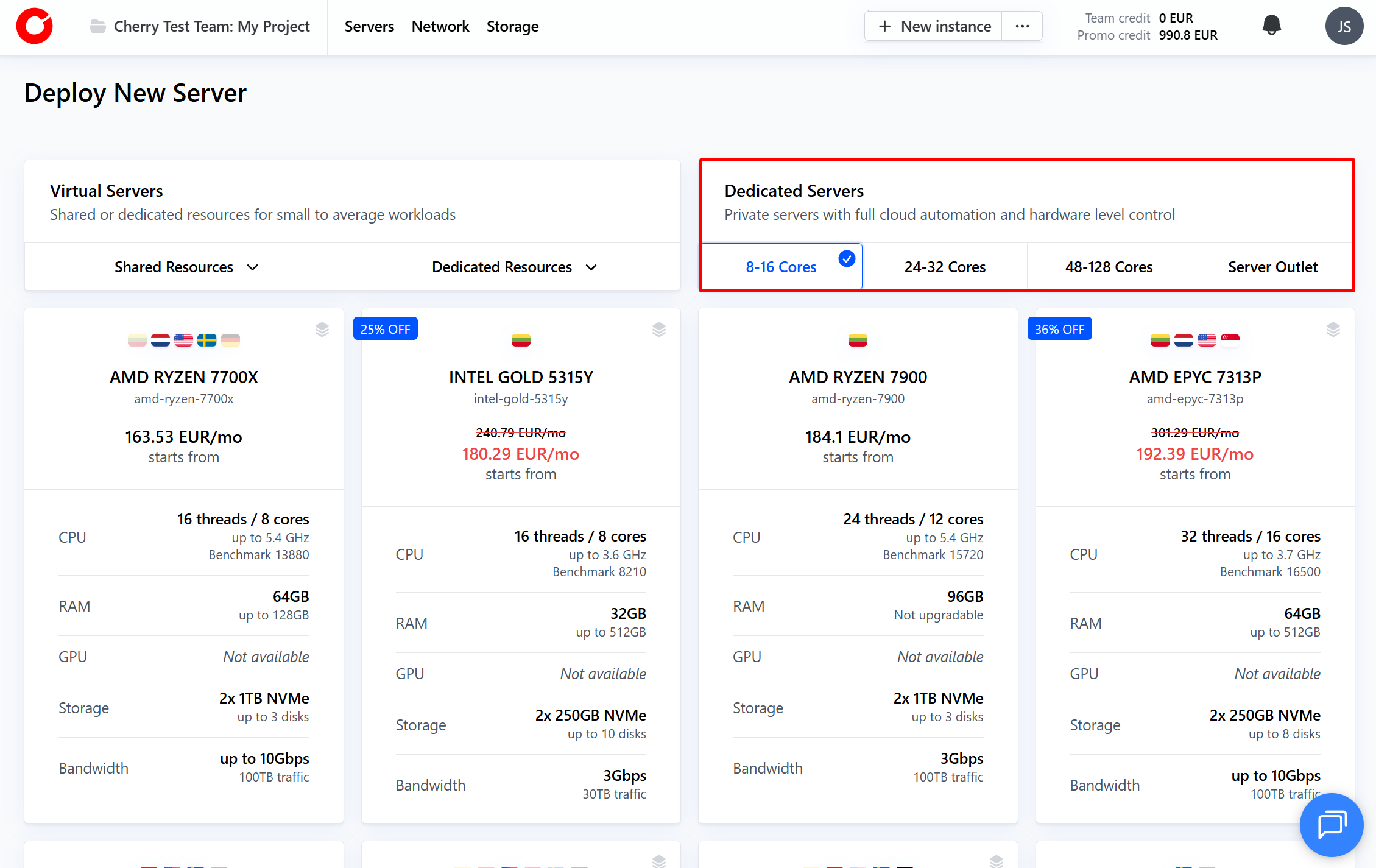
- Select the core range for the CPU you would like under “Dedicated Servers”
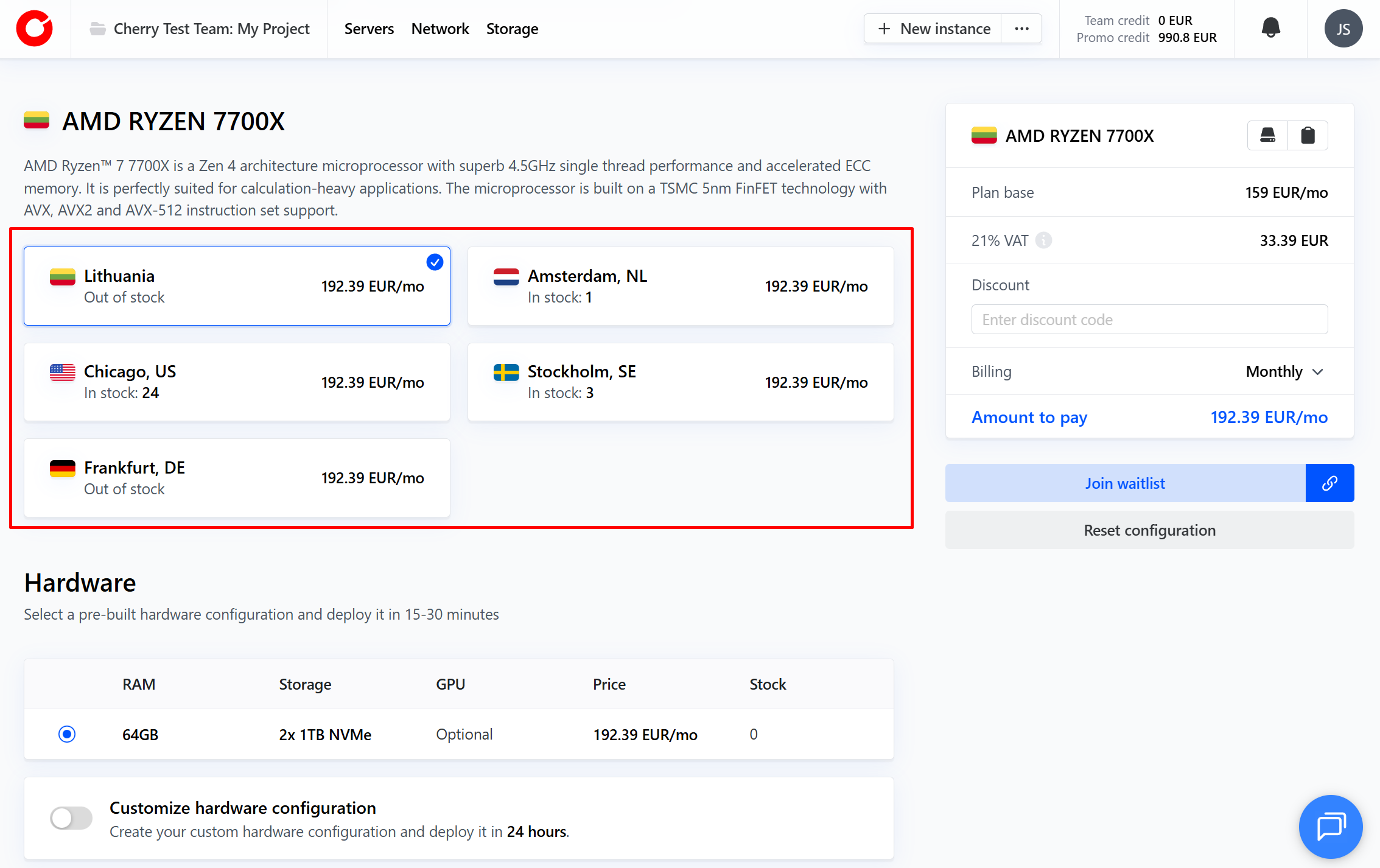
- Select the default server plan based on the CPU that best suits your needs. The screen will direct you to make additional selections. Here, you can select the server location.
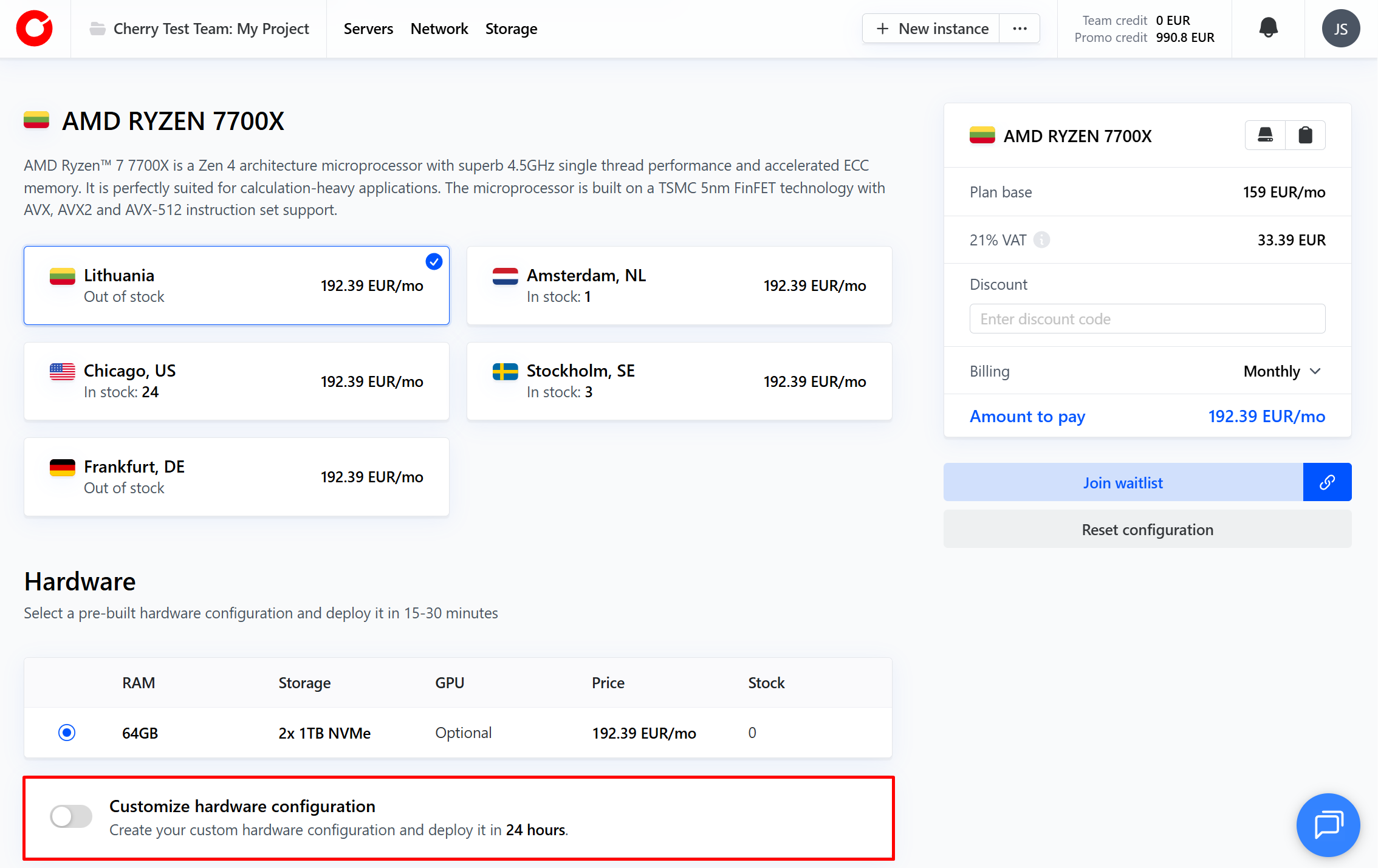
- To begin building your custom server, toggle the “customize hardware configuration” option.
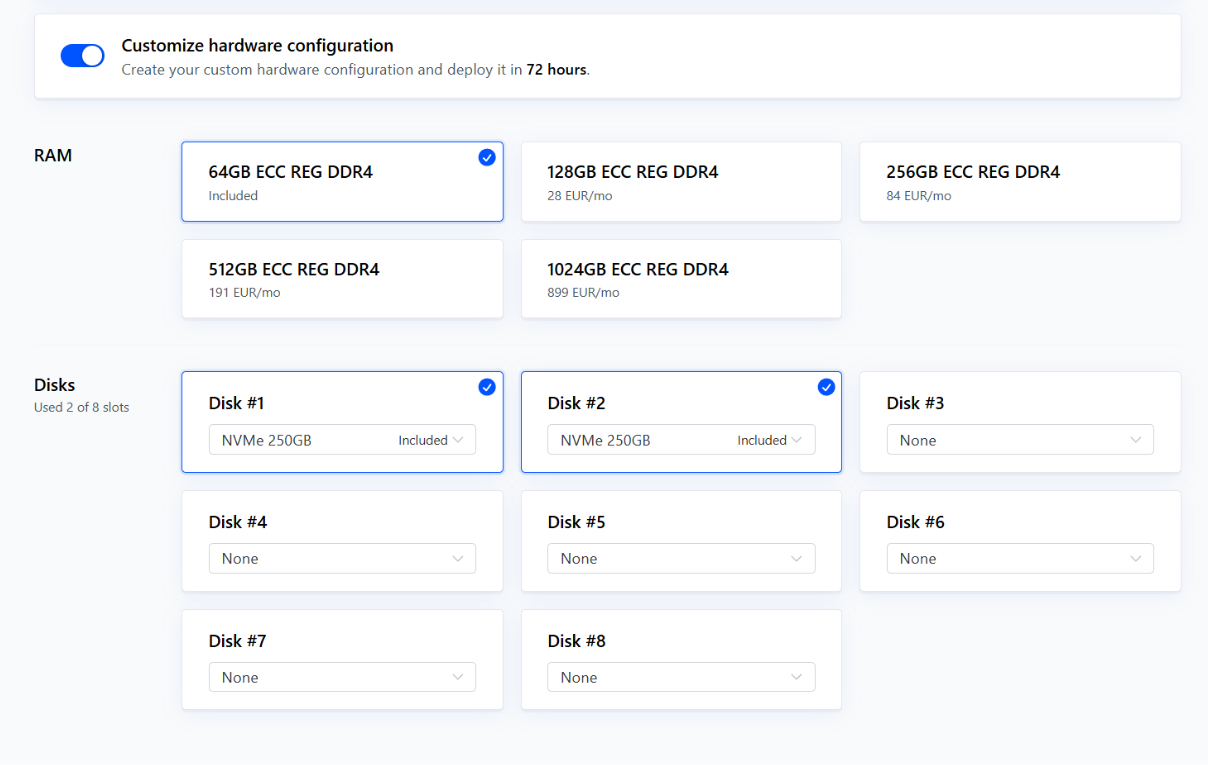
This will open a hidden menu for RAM, storage options and GPU where applicable.
- Select the RAM and storage disks you would like to deploy. You may also be able to select a GPU, if one is available for that CPU server model.
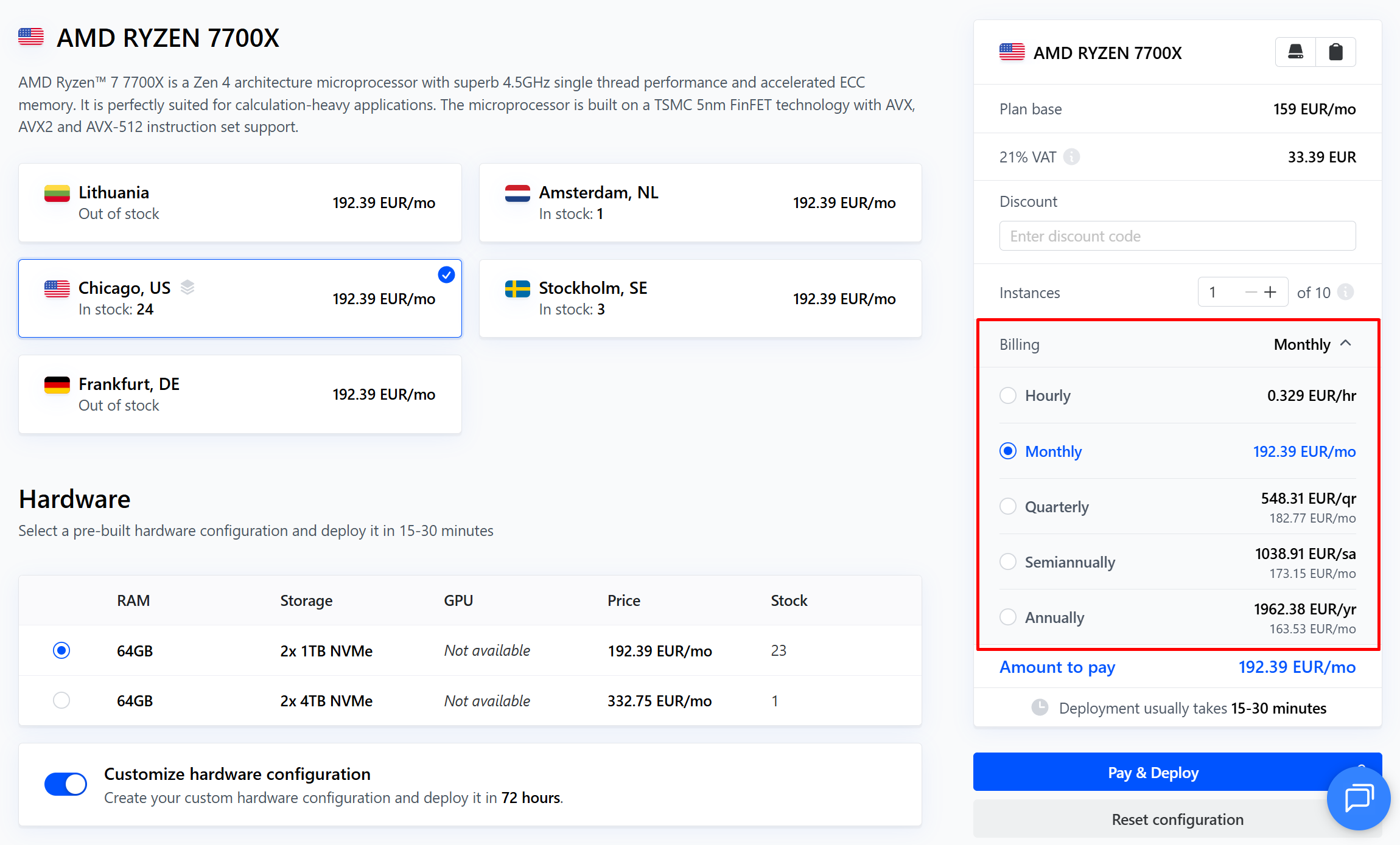
- Select the number of instances you would like to deploy, and your preferred billing period.
- Click “Pay and Deploy”. Our technicians will begin working to configure your hardware and deploy as quickly as possible.
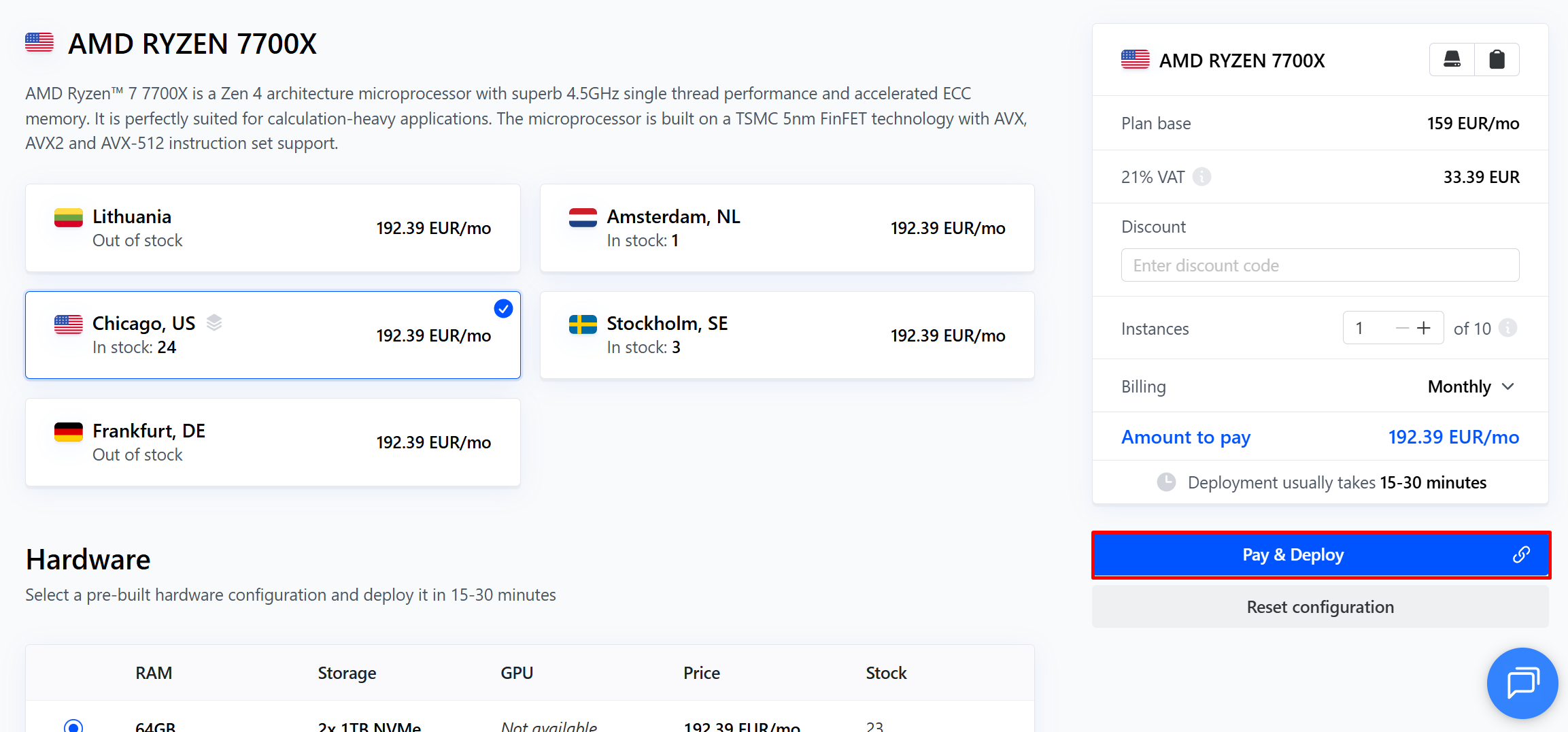
It is also possible to customize your server after deployment, or part way through your term with us.
#Restrictions and Limitations
Unfortunately, it is currently not possible to change RAM type from the default installation listed under each server. For example, a server that lists ECC REG DDR4 cannot be changed to fit DDR5 RAM. We apologise for the inconvenience.
It may be possible to attach additional storage and RAM, or to improve density. For any inquiries, we encourage you to reach out to your dedicated customer support specialist who will be happy to help you in any way they can.
#Features
#Backup Storage
Backup Storage - We offer a dedicated network-attached file storage space with your server package. All dedicated servers are eligible to activate 100GB Backup Storage space free of charge, while additional backup storage can be requested for an extra fee, dependent on the size.
#Elastic Block Storage
Elastic Block Storage (EBS) - A powerful fully managed & secure software-defined data storage based on a pool of shared-nothing hard drive disks (HDD). EBS is perfectly suited for use as storage for public and private cloud environments, and much more. Currently EBS is only available for servers in the Lithuania - Siauliai region, with a limit of 500 IOPS.
#Private VLAN Subnet
Private VLAN Subnet - Create a virtual local area network (VLAN) interface that groups servers within a project to enable private interactions, as if the servers were attached to the same wire.
#Local BGP
Local BGP - Automatically manage your network routing through the Border Gateway Protocol (BGP) within a single Cherry Servers region.
#Monitoring
Monitoring - Cherry Servers uses a Sensu agent, which is automatically installed on every pre-built server, to track its CPU, memory, network and disk performance in real-time.
#Out-of-Band Management Console
Out-of-Band Management (OOBM) Console - This tool enables remote server management by transmitting input/output through the internet protocol (IP) using keyboard, video and mouse ports (KVM).
#Server Tags
Server Tagging - Use server tagging to help organize, control, and monitor your cloud resources by marking them in an organizational pattern of your choice.
#Cloud-init Service
Cloud-init Service - A service that allows you fetch user data when provisioning new servers via API.
#How to Order
You can order any of our dedicated servers through the client portal, or via automation with Cherry Servers API.
#Deployment Time
Custom servers may require hardware changes, and can deploy in 24 hours, on average, across all available regions.
#Billing
Billing for your Cherry Servers dedicated server can be arranged according to your needs. Payments can be set to either be carried out automatically or manually, according to your preference. We offer the following fixed-term billing options:
- Hourly,
- Monthly,
- Annually.
Alternatively, you may opt to pay for your server on an hourly basis, in which case your solution will continue to run as long as you have enough credit in your Team balance.
For more information, please view our Payment Options page.